2
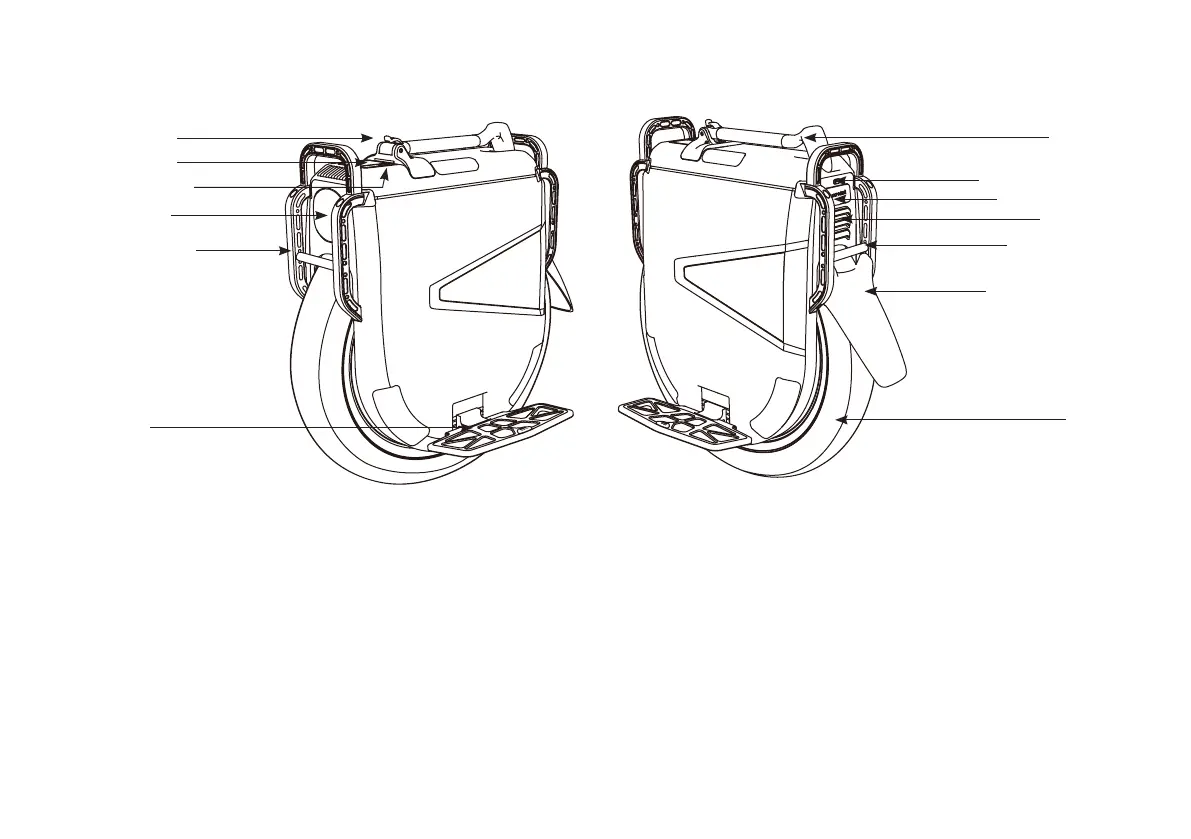
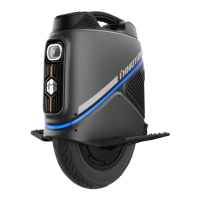
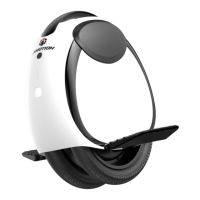
Taillight
Tail Bumper
Rear Mudguard
Tire
Charging Port
Anti-Spin Button
Headlight
Pedals
Front Bumper
Dashboard
Lock Catch
Trolley
Power Button
3. Diagram
4. Functions
Power on/o: Long press the power button to turn on the wheel. Long press the power button to turn o the wheel after powering on.
Headlight: Press the power button to turn on/o the light after powering on; The headlight can be set to automatically on/o on the App.
Taillight: It ashes brightly when braking; The taillight keeps lighting up when the headlight is on.
Anti-spin button: Press and hold the anti-spin button, the vehicle could result in loss of balance.
Power Assistant : Turn on this mode to help you accelerate and brake rapidly.
Acceleration Assistant: Adjust the values for better and rapid acceleration with smaller values representing shorter braking distance.
Brake Assistant: Adjust the values for better and rapid acceleration with greater values representing shorter braking distance.
Speed Description: For your safety,the vehicle's maximum speed will be limited to 60km/h after activation. When the total mileage of
the vehicle exceeds 30km, you can remove this restriction in the APP, and then the maximum speed limit of the vehicle can be adjusted to
90km/h.



 To Next Page