

EasyManua.ls Logo

Innbox G74 - User Manual

Innbox G74
16 pages
Print Icon
To Next Page IconTo Next Page
Loading...
Iskratel, September 
GPON Home Gateway
Innbox GͳͰ
Quick Start Guide
Question and Answer IconNeed help?

Do you have a question about the Innbox G74 and is the answer not in the manual?

Summary

Safety Precautions

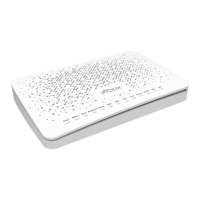
Innbox G74 Device Description

Top View Indicators

Details the indicator lights on the top of the Innbox G74 home gateway.

Back Panel Ports and Switches

Describes the connectors and switches located on the back of the Innbox G74.

Bottom Panel GPON Connector

Details the optical GPON connector on the bottom of the Innbox G74.

Connect and Power On Innbox G74

Connect External Devices

Connect Computer to Innbox G74

Guide for connecting a personal computer to the Innbox G74 via Ethernet.

Connect Set-Top Box to Innbox G74

Instructions for connecting a set-top box to the Innbox G74 via Ethernet.

Configure PC for Internet Access

Innbox G74 Web Management

Accessing Innbox G74 Web Interface

Steps to access the Innbox G74's web interface for configuration.

Navigating Innbox G74 Web Management

Overview of the Innbox G74 web management user interface layout.
FCC Compliance Statement

IC Compliance Statement

Innbox G74 Specifications

General IconGeneral
BrandInnbox
ModelG74
CategoryGateway
LanguageEnglish