1110
OPERATION GUIDE:
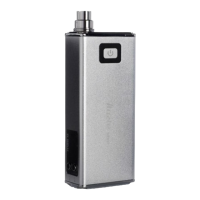
The CoolFireIV TC-18650 has three buons: “ ” Power buon, “+” buon
and “-” buon.
“ ”Buon: Power – On/Off Buon / Make Selecon
“+” Buon: Increase Temperature / Waage / Cycle Selecon
“-” Buon: Decrease Temperature/ Waage / Cycle Selecon
The large OLED screen displays all important informaon.
To POWER ON the CoolFireIV TC-18650:
Click the power buon “ ” three mes quickly to power on the CoolFireIV
TC-18650.
The main LED light will blink from red to yellow to green, aer which the
CoolFireIV TC-18650 will enter standby mode. The final color of the LED will
indicate the current baery power level.
To POWER OFF the CoolFireIV TC-18650:
When the CoolFireIV TC-18650 is not in use, click the power buon “ ” three
mes to power off the CoolFireIV TC-18650.
IMPORTANT:
Always power off the CoolFireIV 18650 when it is not being used, or when it
is going to be stored in a pocket, bag or purse.
0.20Ni
75.0W
180
°C
0.00S



 To Next Page