EasyManua.ls Logo

Innova OnLine Series - User Manual

Innova OnLine Series
57 pages
Print Icon
To Next Page IconTo Next Page
Loading...
USER MANUAL
ONLINE UPS
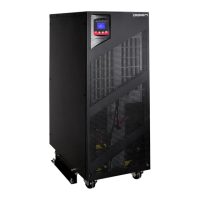
INNOVA 6-10K TOWER

Questions and Answers

  • L
    Laura NealSep 18, 2025
    What does 'Parallel Power strategy setting different' mean on Innova UPS?
    • R
      rmaySep 19, 2025
      The 'Parallel Power strategy setting different' message on your Innova UPS means that there are different power strategy settings in the parallel system. UPSs with different power strategy settings (e.g., one in Line mode and one in Converter mode) are not allowed to be in parallel.
  • M
    Michelle CoxAug 25, 2025
    What causes an inverter overload fault in Innova OnLine and how to fix it?
    • K
      kelseyheathAug 25, 2025
      An inverter overload fault in your Innova UPS is due to an overload. To resolve this, check the connected loads, remove non-critical ones, and inspect for any failed loads.
  • K
    Kathleen ClarkAug 25, 2025
    What causes bypass overload fault in Innova UPS?
    • S
      Sarah PatelAug 26, 2025
      A bypass overload fault in your Innova UPS is caused by an overload. You should check the connected loads, remove some non-critical loads, and check if some loads are failed.
  • N
    Nathan JacobsAug 27, 2025
    Why Innova OnLine has no indication even though connected to mains?
    • P
      Patricia LeeAug 27, 2025
      If your Innova UPS has no indication and no warning tone, even when connected to the mains power supply, it indicates no input voltage. Check the building wiring and input cable, and ensure the input breaker is closed.
  • J
    Jeffrey CunninghamSep 23, 2025
    What does 'Parallel rated power capacity setting different' mean on Innova OnLine UPS?
    • V
      Virginia BranchSep 23, 2025
      The 'Parallel rated power capacity setting different' message on your Innova UPS indicates that there are different UPSs in the parallel system. UPSs with different capacities (e.g., one 6KVA and one 10KVA) are not allowed to be in parallel.
  • R
    Russell HowardSep 23, 2025
    What does 'Parallel in HE mode' mean on Innova OnLine UPS?
    • C
      craighudsonSep 23, 2025
      The 'Parallel in HE mode' message on your Innova UPS means that the HE (High Efficiency) function is enabled in the parallel system. The HE function is not allowed in parallel systems.
  • J
    Jennifer OconnellSep 10, 2025
    What causes a negative power fault in Innova UPS?
    • P
      philipwatkinsSep 10, 2025
      A negative power fault in your Innova UPS occurs when the load is purely inductive and capacitive. Remove some non-critical loads. Ensure bypass supplies the load first and there is no overload, then turn on the UPS.
  • C
    Christy LongSep 12, 2025
    What does 'On Maintain Bypass' mean on Innova OnLine UPS?
    • W
      william48Sep 12, 2025
      The 'On Maintain Bypass' message on your Innova UPS means the maintain bypass switch is open. Check the maintain bypass switch status.
  • J
    Jessica KennedySep 3, 2025
    Why is the BATTERY LED lit and beeping on my Innova OnLine UPS?
    • B
      bakermargaretSep 3, 2025
      If the BATTERY LED is lit and there's an audible alarm sounding every 4 seconds on your Innova UPS, the input voltage and/or frequency are out of tolerance. Check the input power source, the building wiring, and ensure the input breaker is closed.
  • D
    Denise MitchellSep 1, 2025
    What to do if Innova OnLine shows ambient over temperature?
    • C
      Catherine WardSep 1, 2025
      If your Innova UPS indicates an ambient over temperature, check the environment ventilation.

Summary

Safety and EMC Instructions

1.1 Installation Safety

Safety instructions for installing the UPS unit by qualified personnel.

1.2 Operation Safety

Safety precautions during UPS operation, including mains cable and earth connections.

1.3 Maintenance, Servicing, and Faults

Warnings regarding hazardous voltages and servicing by qualified personnel.

1.4 Transport and 1.5 Storage

Guidelines for transporting and storing the UPS in its original packaging.

1.6 Applicable Standards

Lists safety and EMC standards applicable to the UPS product.

Introduction to the Innova UPS

3.1 Key Features

Highlights key features like double-conversion technology and output power factor.

3.2 Electrical Specifications

Details input and output voltage, frequency, and power ratings.

3.3 Operating Environment

Specifies temperature, humidity, and altitude limits for operation.

3.4 Typical Backup Time

Provides backup time estimates for different load percentages.

3.5 Dimensions and Weights

Lists physical dimensions and net weight for different models.

Installation Procedures

4.1 Moving and 4.2 Unpacking

Instructions on moving, unpacking, and inspecting the UPS for damage.

4.3 Input;Output Wiring and Grounding

General installation notes regarding ventilation, condensation, and mounting brackets.

4.3.2 Installation Cable Specifications

Cable cross-section and protective device specifications for installation.

4.4 External Battery Connection

Step-by-step guide for connecting external battery packs to the UPS.

4.5 EPO Connection

Explanation and connection of the Emergency Power Off (EPO) port.

UPS Operation

5.1 Display Panel and Controls

Describes the UPS control panel, LCD, and LEDs for status indication.

5.2 Operating Modes

Details various operating modes like Line, Battery, Bypass, and HE mode.

5.3 Powering On;Off

Procedures for powering the UPS on and off, with and without utility power.

5.4 LCD Menu Navigation

Explains navigation through menus and submenus on the UPS LCD display.

Special Functions

6.1 HE Function

Introduction and setting instructions for the High Efficiency (HE) mode.

6.2 Converter Function

Introduction and setting instructions for the Converter mode.

6.3 Parallel Function

Explains N+X redundancy and parallel connection of UPS units.

Troubleshooting Guide

7.1 Warning Indications

Lists problems, possible causes, and remedies for warning indications.

7.2 Fault Indications

Lists problems, possible causes, and remedies for fault indications.

7.3 Other Cases

Addresses issues without specific indication, and provides info for service calls.

Communication and Software

9. Communication Ports

Details USB, dry contact, and intelligent slot interfaces for communication.

10. WinPower Software

Information about WinPower monitoring software and its installation.

Innova OnLine Series Specifications

General IconGeneral
Frequency50/60Hz
Operating Temperature0-40°C
Output Voltage220/230VAC
Battery TypeSealed Lead-Acid (SLA)
Communication InterfaceUSB, RS232
Humidity0-90% non-condensing