15
USB Host-Playback of MP3 song via USB storage media
The system is able to decode and playback MP3 files
stored on various memory media by using the USB
connection port.
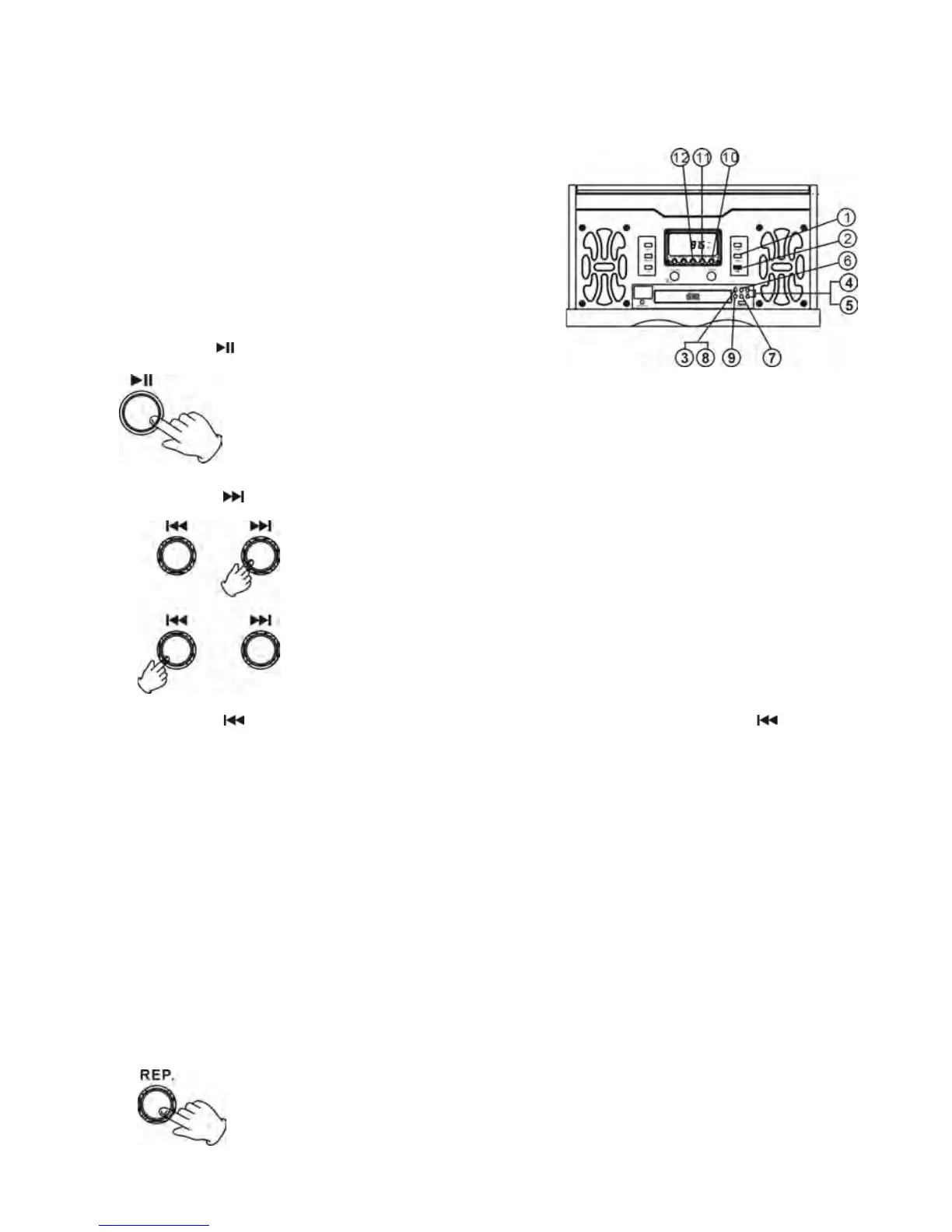
1. Press the USB button. “USB” will flash on the display.
2. Insert an external audio source (ie. MP3 player)
into the USB jack.
3. Press PLAY (
) button to play the external audio source.
4. Press the FF (
) button once to go to the start of the next track.
5. Press the FR (
) button once to go back to the start of the current track. Press the FR ( ) button
twice to go back to the start of the previous track.
6. Press the REP. button, the unit will have “Repeat 1”, “Repeat album”, ”Repeat all” and “Random
play”.
Repeat 1--- Press this button once to repeat playing the current track. “REPEAT 1” will show on the
display.
Repeat Album---Press this button for a second time to repeat playing album on the current disc.
“REPEAT ALBUM” will show on the display.
Repeat all---Press this button for third time to repeat playing all tracks on the current disc. “REPEAT
ALL” will show on the display.
Press this button for a forth time to randomly play all the tracks on the current disc. “RANDOM” will
show on the display.
To cancel the repeat, press “REP.” button again.



 To Next Page