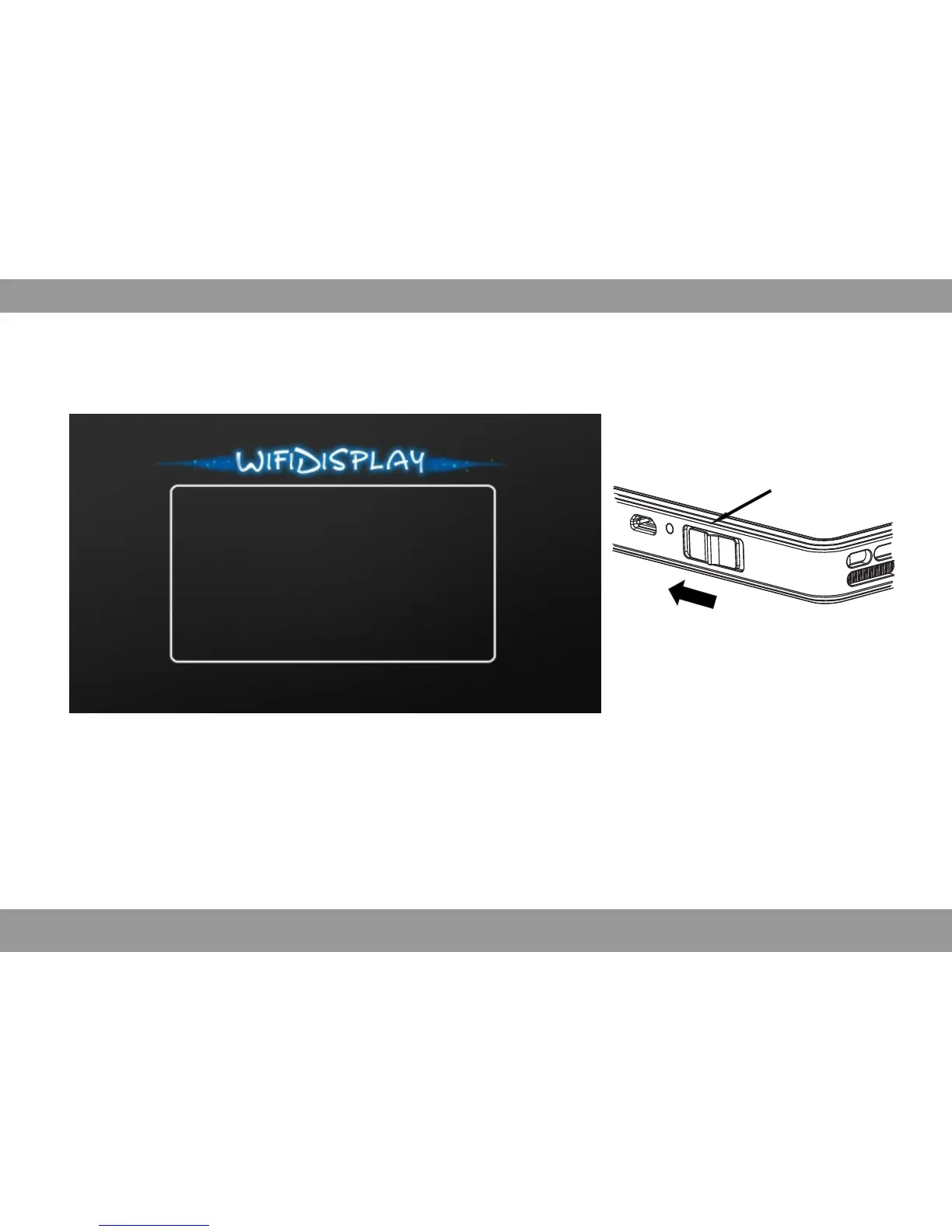
Push forward to switch between
and DLNA.Miracast
Projector on/off
WiFi-Display Mode Select(Optional)
Appearing following screen after selecting WiFi-Display. There are two mode under WiFi-Display
push the projector on/off button forward to switch between and DLNA.Miracast
Device Name: LOLLIPOP-19561
Status: Waiting for connection...
Mode: Miracast
Peer Device Name:
Peer Device MAC:
Peer Device IP:
Difference Between And Miracast DLNA
Miracast is that the smart devices connect to projector via wireless signal, and mirror the image
of smart device and output to projector. The smart device must have the Miracast function. When
the smart device locked, the projector will stop to play.
DLNA DLNA is that the software installed on the smart device have the function, little relationship
to operating system, when the software application play video or photo, it will output to projector
via wireless signal connection or same wireless network. Only the smart device have and theWiFi
software application have DLNA function, it can play. Different from , can not mirrorMiracast DLNA
screen of smart device and output to projector. When the smart device locked or exit directly or
do not select stop on control interface, it will play all the time only the movie is over.
33


 To Next Page