29
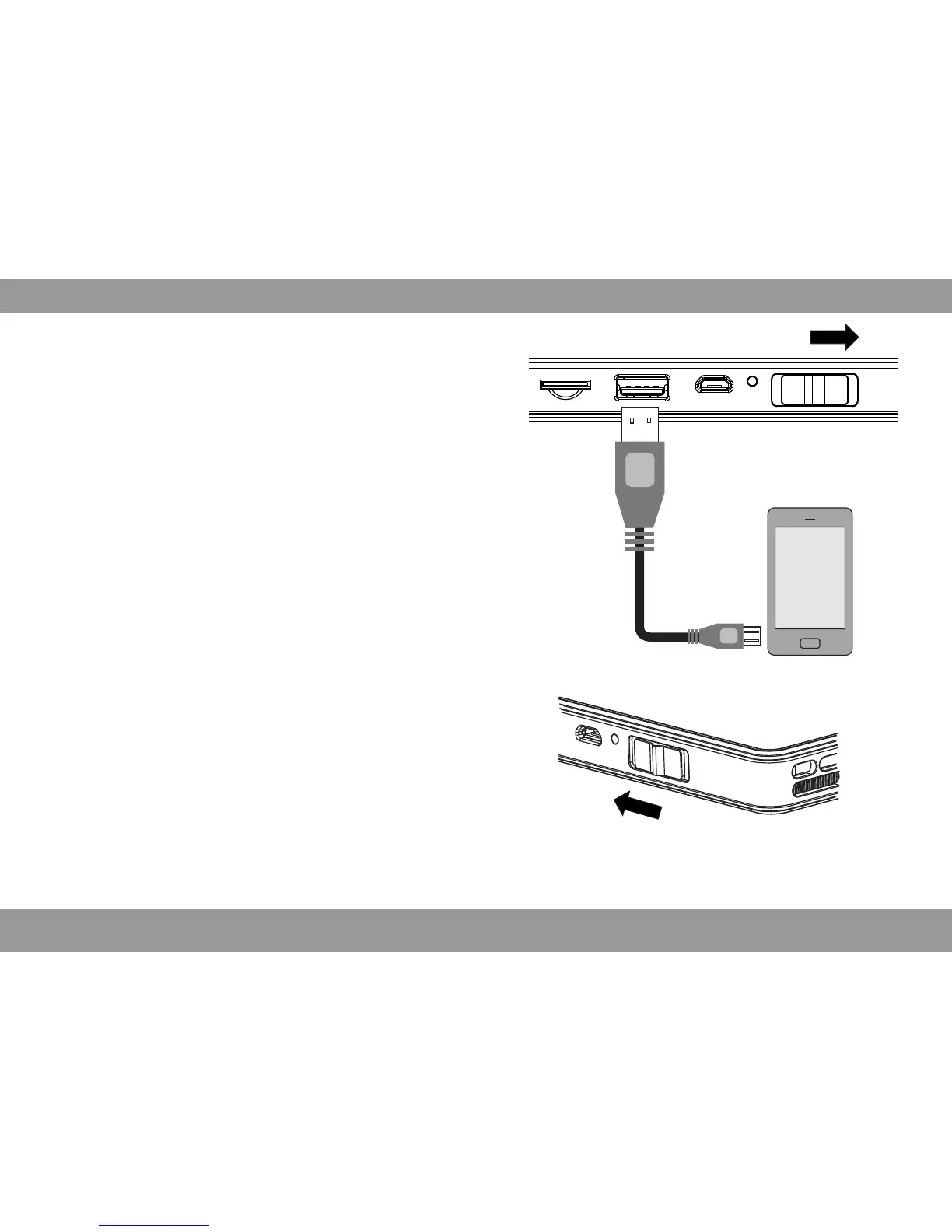
Charging for mobile devices
Turn on/off the projector
Push the switch backward for 3 seconds to turn on/off
the projector.
Battery Indicator
Green Normal
Red Low
Brightness Mode
Push the switch backward fast, can switch freely between
the standard mode and brightness mode.
The internal battery not only can be used for
projection,but also can charging for mobile devices.
Push the Power switch forward and reach to charging
mode, Operation instruction as below:Charging power
for cellphone via USB: Plug one end of the USB cable
to the projector USB, the other end to the mobile
devices.
Note: Under Wifi-Display Mode, the brightness can not be adjusted.


 To Next Page