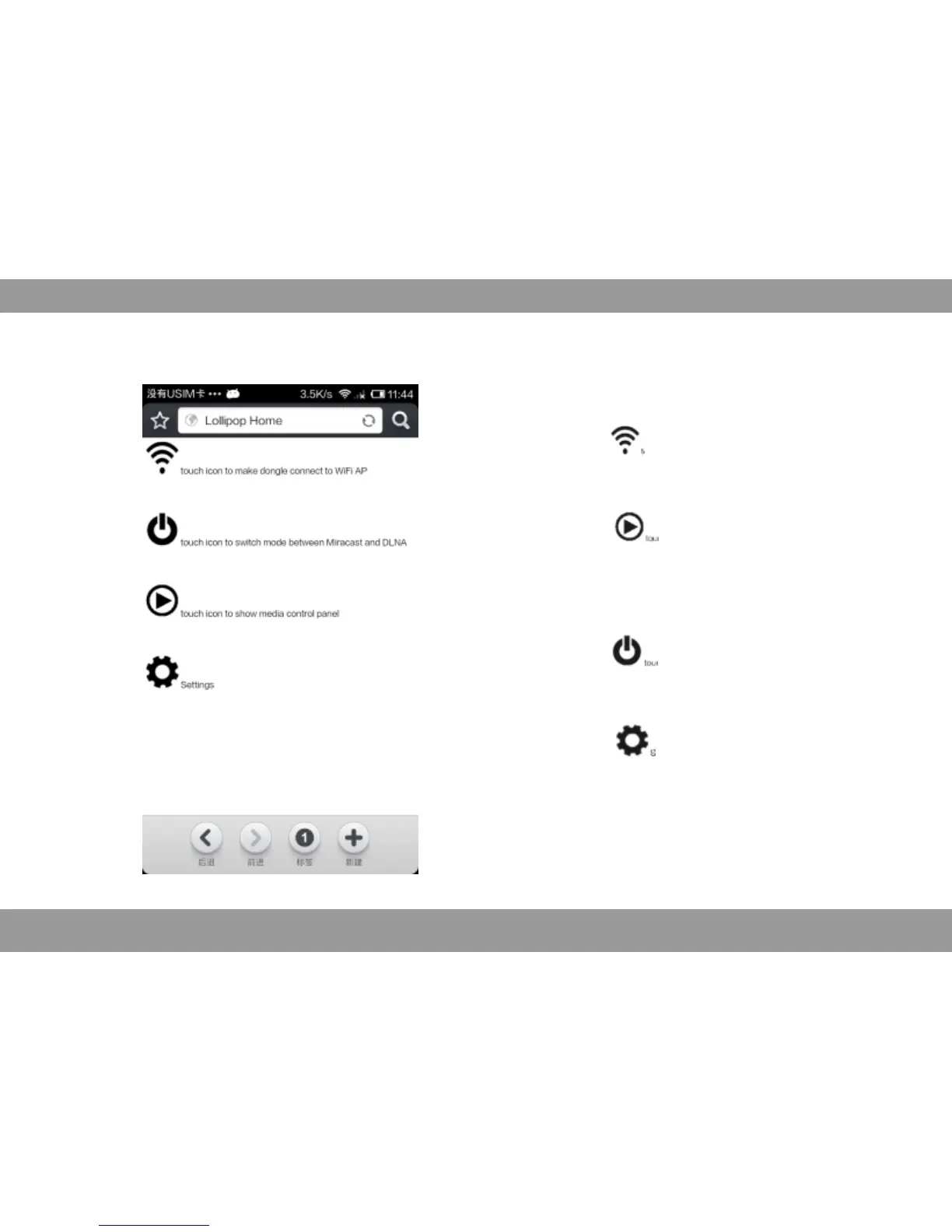
Click“ , display wireless network selection
menu, select set wireless network.
Click“ ”appear playing control buttons
Select control play video or control by client
Click“ ”to switch between Miracast
and .DLNA
Click“ ” o adjust the picture aspect.t
Menu Introduction
40


 To Next Page