EasyManua.ls Logo

innuos ZEN MINI - User Manual

innuos ZEN MINI
13 pages
Print Icon
To Next Page IconTo Next Page
Loading...
ZEN MINI
QUICK START GUIDE
for
ZEN MINI
MUSIC PLAYER
Thank you for buying our Zen Mini Music Server. This quick
start guide will show you the basic setup of the Zen Mini as a
music player. Should you have problems, please contact us on
support@innuos.com and we’ll be happy to assist you.

Other manuals for innuos ZEN MINI

Question and Answer IconNeed help?

Do you have a question about the innuos ZEN MINI and is the answer not in the manual?

Summary

Innuos Zen Mini Box Contents

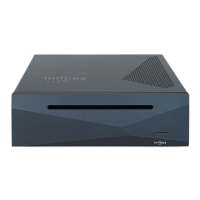
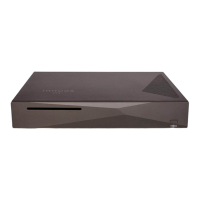
Zen Mini Music Server Package

Lists the single Zen Mini music server unit included in the box.

Connect Zen Mini to Mains Power

Connect Zen Mini to Network - Wired to Internet Router

Connect Zen Mini to Network - Wired via Powerline Homeplugs

Connect Zen Mini to Network - Wired via 4-Port Powerline Homeplugs

Connect Zen Mini to Amplifier - Via USB DAC

Connect Zen Mini to Amplifier - Via M2 Tech HiFace DAC

Connect Zen Mini to Amplifier - Via M2 Tech HiFace2

Turn On the Zen Mini

Store CDs

Download Remote Control App

For iPhone, iPad, iPod Touch

Download the iPeng 9 app from the App Store for iOS devices.

For Android

Download the Orange Squeeze app from Google Play for Android devices.

For Windows 8;10

Download the Squeeze Remote app from the Windows Store for Windows PCs.

innuos ZEN MINI Specifications

General IconGeneral
RAM4GB
Operating SystemInnuOS
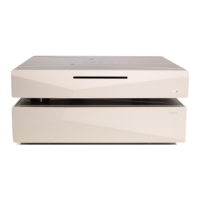
Available ColorsBlack, Silver
Streaming ServicesTIDAL, Qobuz, Spotify, Internet Radio
Ethernet1 x Gigabit Ethernet
Storage Capacity1TB
ConnectivityEthernet
Digital OutputS/PDIF
DACOptional
USBUSB 3.0
Power Consumption10W
TypeMusic Server
Supported FormatsFLAC, ALAC, AIFF, WAV, MP3, AAC
ProcessorIntel Quad Core

Related product manuals