9
Inogen One® G4 Optional Accessories
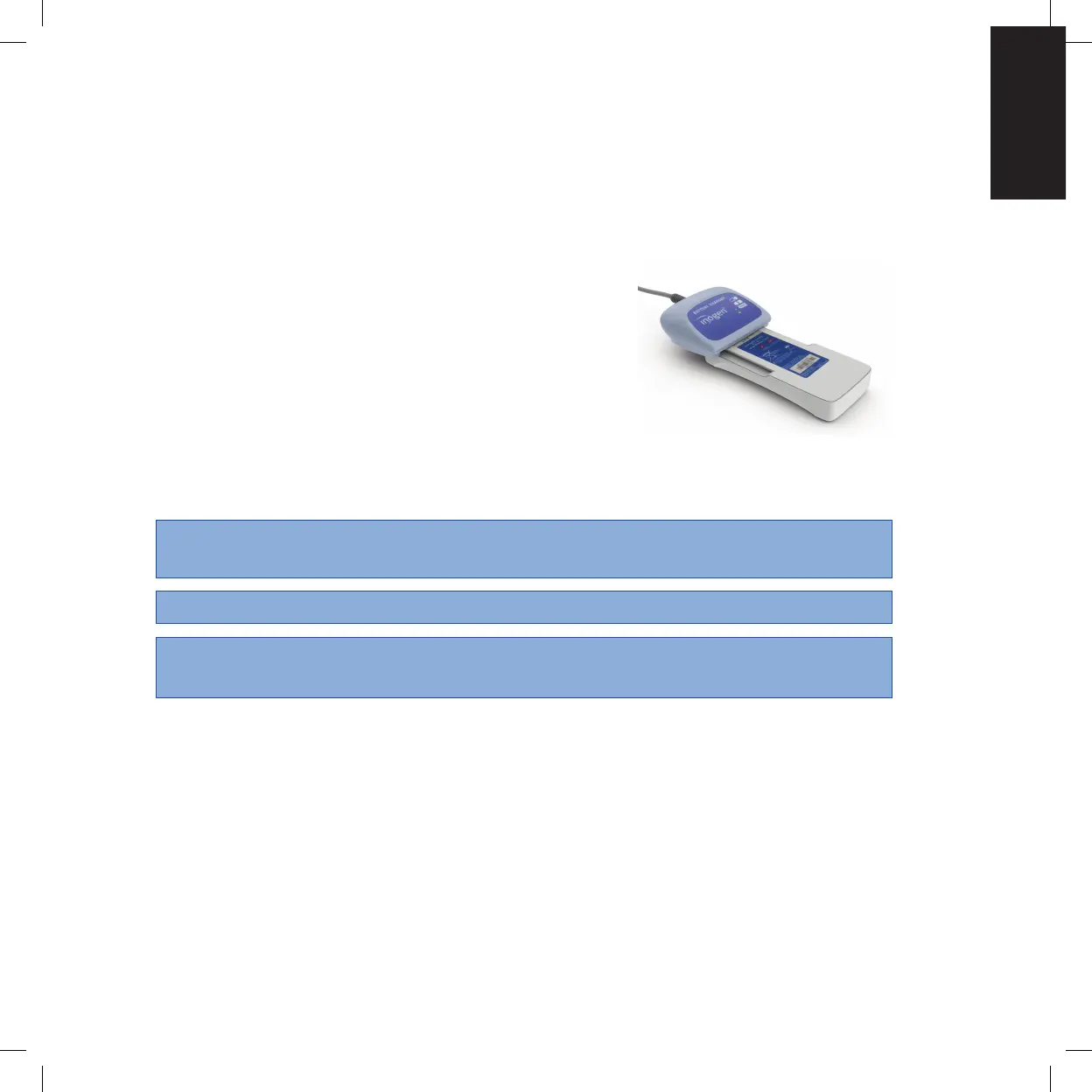
External Battery Charger (BA-403)
The Inogen One® G4 external battery charger will charge the Inogen One® G4 single and
double batteries.
1. Plug the External Battery Charger AC power supply
cord into an electrical outlet.
2. Plug the External Battery Charger AC power supply
into the battery charger.
3. Slide your charger onto the Inogen One G4 Battery
by clicking and locking into the charger.
4. When the battery is in the correct position, a solid
red light will indicate that the battery is charging.
5. When the green light illuminates, the battery is
fully charged.
CAUTION Avoid touching the recessed electrical contacts of the External Battery
Charger; damage to contacts may affect charger operation.
NOTE These contacts are not powered unless a battery is in place and charging.
NOTE To completely remove power from the External Battery Charger,
remove the plug.
Description of the Inogen One® G4 Oxygen Concentrator Chapter 2


 To Next Page