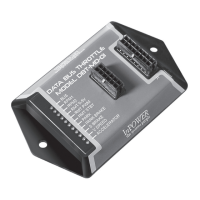
DBT-MDF20 Owner’s Manual
Document: OM-232 Version Code:
Date: Jan 24, 2020 Date:
© Copyright 2020 InPower LLC
Page
3 of 14
InPower LLC
8311 Green Meadows Drive
Lewis Center, Ohio 43035 USA
740-548-0965
www.InPowerLLC.com
2. Installation Procedures
WARNING
!
2.1 Safety Precautions
This electronic throttle product has been designed and manufactured to meet
the intended application requirements and specications. Any modications
to the product or to the installation procedure can be dangerous and will void
InPower’s warranty.
• Read and understand the instructions in this manual and other manuals
before starting the installation.
• Make sure that the vehicle battery power is disconnected during
installation of the throttle module.
• Reconnect the battery when the system installation is complete.
• Wear appropriate safety equipment, such as protective eyeglasses,
faceshield and clothing when installing equipment and handling the
battery.
• Be careful when working near a battery. Make sure that the area is
well ventilated and that there are no ames near the battery. Never lay
objects on the battery that can short the terminals together. If battery acid
gets in your eyes, immediately seek rst aid. If acid gets on your skin,
immediately wash it off with soap and water.
• Avoid disconnecting the Gateway Connector when the vehicle is powered
since that will result in a Fault Code being generated.
2.2 Getting Started
IMPORTANT NOTE: Once again! Please obtain the specic SEIC
installation instructions for your vehicle make and model from Ford. Wire
colors and locations may vary from model to model and even between
different years for the same model. The guide may be obtained from
Ford’s Body Builder Advisory Service.
(www.eet.ford.com/truckbbas/)
We recommend installing the DBT-MDF20 system under the dash near the
SDLC Gateway due to the proximity of the wiring connections and cable
length. The unit should not be located in the engine compartment or any other
location that is not protected.
You will need tools to splice wires together. For each xed preset mode,
you will need a a switch for selecting the Preset. It is possible to combine
the Presets in a three position Center Off switch. For Variable RPM control,
you will need a potentiometer. We recommend a 10 Kohm 3, 5, or 10-turn
potentiometer such as those available from Digikey.
Do not lengthen the cable from the module to the SDLC Gateway Y Harness.
Carefully disconnect the battery before making any electrical connections.


 To Next Page
 Loading...