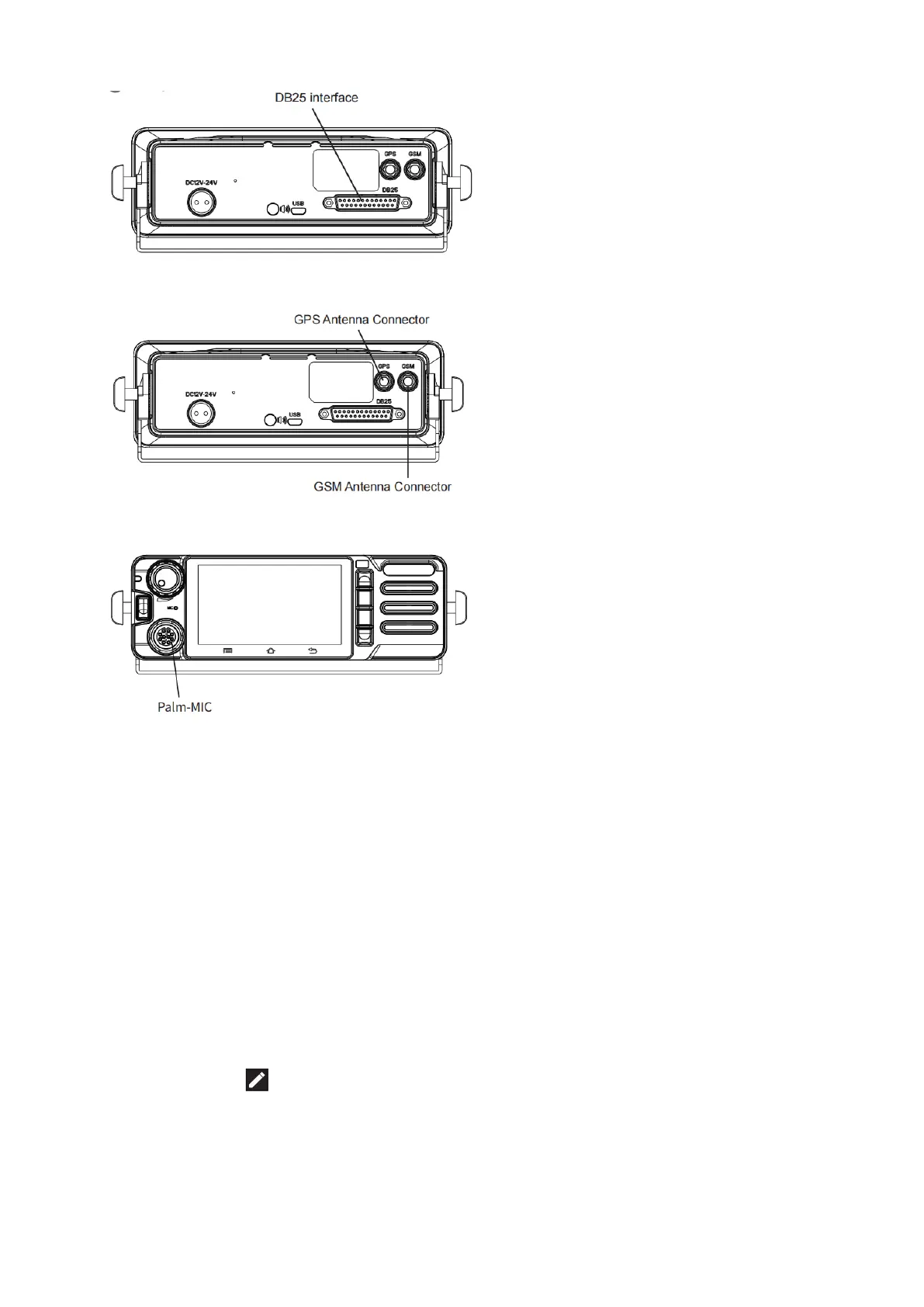
4. Attaching the Antennas- GPS Antenna/ GSM Antenna
Rotate clockwise until it is tightened, paying attention to the corresponding direction.
5. Attaching the Palm Microphone
Basic Functions
1. Powering Up the Device
Make sure that the power connector is plugged in properly. Rotate the Power/Volume Knob to
power up,
2. Prompt Bar
Press on the top of the screen, select the drop-down menu and drag down to open.
The prompt bar displays the operating applications. Click on the running list bar and quickly
switch to the corresponding application.
Friendly Note: No network in flight mode. In addition, the prompt bar still displays the current
notifications (like unread text messages, etc), and running applications. Click the icon to view
list. Click quickly to enable corresponding function.
3. Message
Click “Message”, received messages will be displayed, and you can edit, send, and delete.


 To Next Page