EasyManua.ls Logo

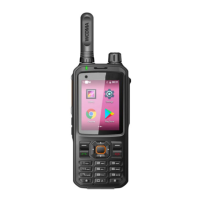
Inrico T310 - User Manual

Inrico T310
11 pages
Print Icon
To Next Page IconTo Next Page
Loading...
5
VRKGYKX
KGJZNOYOTYZX[IZOUTHUUQIGXKL[RR_HKLUXK[YOTMGTJQKKVZNOY]OZNIGXK
Inrico Technologies Co., Ltd.
3/F, Building No.118, High Tech Industrial Park, 72 Guowei Road, Luohu District, Shenzhen, China

Questions and Answers

Summary

Unpacking and checking the equipments

Accessories

Lists all necessary items included in the package for verification before discarding the box.

Preparation work

Warning

Provides critical safety warnings regarding battery handling, charging, and potential hazards to prevent accidents.

Using the Lithium Battery

Charge before using

Instructions on charging the battery before initial use to reduce electrical emission and ensure optimal performance.

Store the battery for a long time

Guidelines for storing the battery long-term, including charge levels (40-65%) and environmental conditions (cool/dry).

Feature of the Lithium Battery

Details the characteristics of the lithium battery, including capacity decay over time due to charging and idle periods.

Charging Lithium battery

Explains the charging process, indicator lights, and conditions affecting charging, such as high temperature or poor contact.

Radio Overview

Button Description

Accessories Installation

Insert SIM Card

Step-by-step guide on how to insert the SIM card into the device's dedicated slot.

Insert Micro SD Card

Instructions for inserting a Micro SD card into the designated TF card slot for storage expansion.

Install Battery

Procedure for correctly installing the lithium battery into the device, ensuring metal contacts are properly aligned.

Close the battery cover

Steps to securely close the battery cover after installation, including locking the battery batch.

Basic Function

Power ON

How to turn on the walkie-talkie by pressing and holding the on-hook button.

Power OFF

Procedure to turn off the device by long pressing the on-hook key.

User login

Steps for successfully logging in and broadcasting the current group name.

Use

Voice playback

How to playback recorded voice messages using the F3 button.

Indicator Status Description

Network Connecting

Wi-Fi Connecting

Guide to connect the device to a Wi-Fi network via the settings menu.

Cellular Network Connecting

Steps to connect the device to a cellular network using APNs and data usage settings.

Application Management

Uninstall APP

Instructions on how to uninstall applications from the device through the settings menu.

Clear the application data or cache

The Non-systematic APP stops running

Simple troubleshooting

System Parameter

Specification

warning

Inrico T310 Specifications

General IconGeneral
BrandInrico
ModelT310
CategoryRadio
LanguageEnglish

Related product manuals