5G OUTDOOR CPE FW2010e USER GUIDE 7
Getting Started
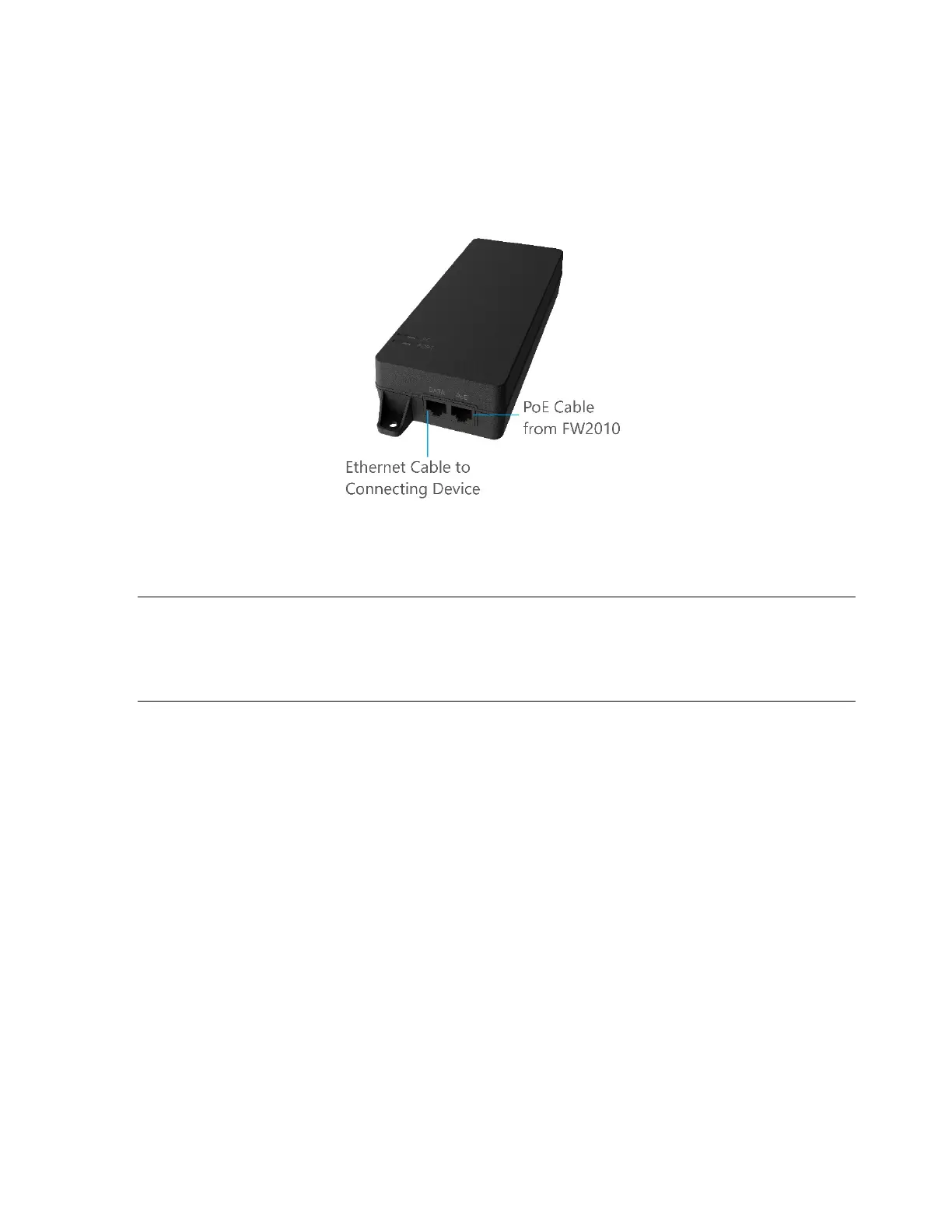
To turn on your FW2010e and connect a device:
1. Check that the PoE cable from the FW2010e is in the PoE port on the PoE power injector and the
PoE power injector is plugged into an earthed AC outlet.
2. Insert one end of a Cat6A Ethernet cable into the Data port on the PoE power injector.
3. Insert the other end of the cable into the Ethernet port of the device you wish to connect.
WARNING! Use only the PoE power injector supplied with the FW2010e. Unapproved power
supplies could cause overheating or fires, resulting in serious bodily injury, death, or property
damage. Do not defeat the safety purpose of a grounding-type plug. Use the PoE power injector
only in combination with an earth-socked outlet.


 To Next Page