2
MAKING CONNECTIONS
How do I watch TV (cable, satellite, or antenna) or connect a device, such as a DVD or Blu-ray disc player or game console?
FEATURES
1
START HERE
How do I attach the stand to my TV? (not for wall mounting)
You’ll need: Soft surface and Phillips screwdriver
WALL MOUNT
How do I prepare my TV for wall mounting? (not for use with a TV stand)
You’ll need: Soft surface and Phillips screwdriver
FIND YOUR USER GUIDE ONLINE!
Go to www.insigniaproducts.com, then
click Support & Service.
Enter NS-19D220NA16-A or
NS-19D220MX16-A in the box under
Manual, Firmware, Drivers & Product
Information, then click ►.
STOP
Do not plug your power cord in until all
other devices have been connected.
!
B Make sure that the arrows on the bottoms of the stands point toward
the front of the TV. Align the screw holes on the TV stands with the
holes on the bottom of your TV, then secure each stand with one of
the provided M3 × 12 mm screws.
A Place your TV face-down on a cushioned,
clean surface.
Before using your new product, please read these
instructions to prevent any damage.
A
B
B
A
OR
A Carefully place your TV face-down on a cushioned, clean surface.
B See the instructions that came with your wall-mount for more information about which screws to use and how to
correctly mount your TV.
Multi-purpose jacks: You can plug any device that uses HDMI into any HDMI jack. However,
certain devices must be connected to the HDMI/ARC jack. See the instructions that came with
your device for more information.
Note: Connect the yellow
video cable to the green
VIDEO/Y jack.
INCLUDED ACCESSORIES
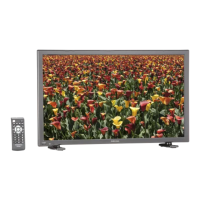
Remote control and
two AAA batteries
Stand bases
M3 screws (12 mm length) (2 pcs.)
Your TV has four VESA mounting holes on the back. If you
attach a wall-mount bracket to the back of your TV, the
bracket must be securely attached, using all four holes.
If you do not use all four mounting holes, your TV may fall
and cause property damage or personal injury. See the
documentation that came with your wall-mount for
complete mounting instructions.
Quick Setup Guide | NS-19D220NA16-A / NS-19D220MX16-A
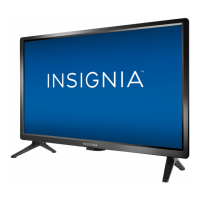
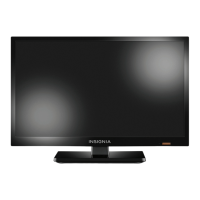
19" 720p 60Hz LED TV
WHICH CABLES
DO YOU HAVE?
OR
HDMI (BEST)
Best video quality
COMPONENT
(BETTER)
AV
(GOOD)
COAXIAL
(GOOD)
Note: The component and AV jacks are shared. This means you can connect only
one component or AV device at a time. We suggest upgrading to HDMI (BEST) if
your device supports it.
ANT/CABLE
IN
L R
- AUDIO -
AV IN
COMPONENT IN
VIDEO / Y P B PR
AUDIO/VIDEO OUT
AUDIO/VIDEO OUT
CABLE
Power indicator
Remote control sensor
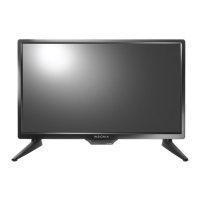
Note: Images do not necessarily represent the exact design of your television.
M3 screws (12 mm length)
ANT/CABLE
IN
L R
- AUDIO -
AV IN
COMPONENT IN
VIDEO / Y P B PR
AUDIO
OUT
HDMI 2
FACTORY
USE
ONLY
HDMI 1
(ARC)
(COAXIAL)
DIGITAL
OUTPUT
USB
ANT/CABLE
IN
L R
- AUDIO -
AV IN
COMPONENT IN
VIDEO / Y P B PR
HDMI 2 HDMI 1
(ARC)
L
R
AAA
+
AAA
+
R
L
Front of TV
C
M
Y
CM
MY
CY
CMY
K
NS-19D220NA16-A_15-0991_QSG_V2_EN.ai 1 12/31/2015 9:48:42 AMNS-19D220NA16-A_15-0991_QSG_V2_EN.ai 1 12/31/2015 9:48:42 AM

 Need help?




 To Next Page
 General