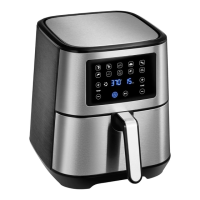
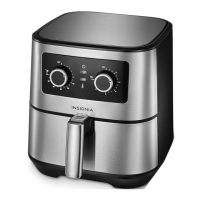
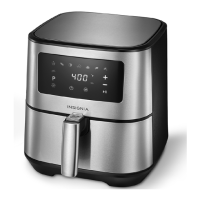
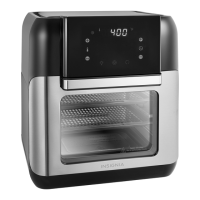
This document is a user guide for the Insignia 10 Qt. Digital Air Fryer Oven, models NS-AFO6DSS1, NS-AFO6DBK1, and NS-AFO6DSS1-C. It provides comprehensive instructions for safe operation, usage, maintenance, and troubleshooting.
Function Description:
The Insignia 10 Qt. Digital Air Fryer Oven is a versatile kitchen appliance designed for air frying a wide assortment of foods. It utilizes Circular Heat technology to cook food quickly and evenly. The oven features a digital touch-screen control panel for easy operation and an integrated timer for precise cooking. A clear window allows users to view food while cooking, enhancing convenience. The appliance is designed for household use and is not intended for deep frying. It offers various cooking modes and preset food temperatures and times to simplify the cooking process. The preheat feature helps save time and ensures optimal air frying results, especially for meats or proteins that benefit from initial searing. The rotisserie function allows for roasting whole chickens, pork roasts, or other large cuts of meat.
Important Technical Specifications:
- Volume: 10.5 Qt. (10 L)
- Dimensions (H x W x D): 14.5 x 12.9 x 13.2 in. (36.9 x 32.8 x 33.6 cm)
- Weight: 14.7 lb. (6.7 kg)
- Power: 120 V ~ 60 Hz
- Power Consumption: 1500 W
- Power Cord Length: 3.3 ft. (1 m)
- Adjustable Thermostat: Up to 400° F (200° C)
- Dehydrate Function Temperature Range: 90° F to 200° F (32° C to 93° C) for 2-24 hours.
- Other Functions Temperature Range: 180° F to 400° F (82° C to 200° C) for 1-60 minutes.
Usage Features:
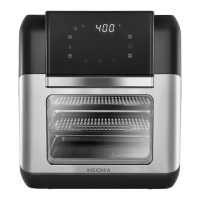
The air fryer oven is equipped with a user-friendly control panel.
- Display: Shows cook time, delay time, temperature, and other messages.
- Indicators: Temperature, cooking, and time indicators light up to show current status.
- Temperature +/- buttons: Increase or decrease the temperature.
- Mode buttons/indicators: Select a cooking mode (e.g., Toast, Pizza, French Fries, Steaks/Chops, Fish or Shrimp, Chicken, Cake, Rotisserie, Preheat, Dehydrate). The selected mode button lights up.
- Light button: Turns on the interior light.
- Time +/- buttons: Increase or decrease cooking time.
- Preheat button: Initiates preheating.
- Rotate button: Activates the rotisserie function.
- Power button: Turns the unit on or off.
To use the air fryer oven:
- Read all instructions and important safeguards.
- Remove all packaging materials and clean accessories thoroughly.
- Plug in the power cord; the unit enters standby mode.
- Press the power button to activate the control panel.
- Select a cooking mode by pressing the appropriate button. The display will show the cooking temperature and time.
- Adjust temperature and time using the +/- buttons if needed.
- Press the power button or wait five seconds to start cooking. The cooking indicator will flash.
- If using the preheat feature, place an empty pan and cooking rack inside, press the power button, then the preheat button. Once the oven beeps, place food on the rack and program cooking time and temperature.
- For rotisserie cooking, secure meat onto the rotisserie spit using meat forks, then place the spit into the rotisserie shaft rotator and lock it. Press the rotate button for even results.
- The oven pauses if the door is opened during cooking and resumes when closed.
- After cooking, the fan and cooking indicator remain on for 20 seconds to cool the unit, then "OFF" is displayed, followed by a beep.
- Remove food carefully, as accessories and food will be hot.
Accessories:
- Cooking racks (2): Non-stick, dishwasher-safe. Used for dehydration or cooking crispy snacks, pizza, etc. Slide into the upper two pairs of rails.
- Drip tray: Slides onto the lowest rails to collect dripping oils and sauces for easier cleanup.
- Rotisserie spit: Used for roasting whole chickens, pork roasts, or large cuts of meat.
- Rotisserie spit removal tool: Used to safely remove the hot rotisserie spit from the oven.
Maintenance Features:
- Cleaning: Clean the air fryer oven after each use. Unplug the appliance and let it cool thoroughly before cleaning.
- Accessories: Dishwasher safe. Wash with hot water and mild detergent using a non-abrasive sponge. Avoid abrasive cleaners or scouring pads.
- Exterior: Wipe with a warm cloth slightly wet with mild detergent.
- Interior: Wipe with a warm, non-abrasive sponge slightly wet with mild detergent.
- Control Panel: If necessary, remove food residue with a soft cleaning brush.
- Important: Do not immerse the air fryer oven, cord, or plug in water.
- Storage: Unplug the appliance, ensure it is thoroughly cooled, and all components are clean and dry. Store in a clean, dry place.
Safety Precautions:
- Always follow basic precautions.
- Not for use by children under eight years old without supervision.
- Ensure voltage matches local supply.
- Do not use if damaged.
- Never immerse electrical components in water.
- Do not block air inlet/outlet.
- Do not add oil to the drip tray or pans to prevent fire.
- Internal temperature reaches several hundred degrees Fahrenheit; do not place hands inside when hot.
- Keep power cord away from hot surfaces and combustible materials.
- Use on a level, dry, heat-resistant surface.
- Maintain at least 3.9 in. (10 cm) free space around the appliance.
- Do not use for purposes other than intended.
- Use only with a 120V AC power outlet.
- Unplug by gripping the electrical plug, not the cord.
- Operate on a separate electrical circuit to avoid overload.
- Use extreme caution when opening the door due to hot steam.
- Spilled food can cause serious burns; keep away from children.
- Not for deep frying.
- Avoid under- or over-filling cooking racks.
- Use caution when handling hot racks and pan.
- The oven will not operate unless the door is fully closed.
- The appliance has overheating protection; it will turn off automatically if the internal temperature control system fails.
- A built-in shut-off device turns off the unit at the preset time, but the fan continues for 20 seconds to cool.
- Plasticizer warning: Use non-plastic coasters or mats under the appliance to prevent damage to countertops.
- Extension cords can be used if properly rated (at least 860 W) and arranged to avoid hazards.
- The polarized plug should fit correctly into the outlet.
This user guide also includes a troubleshooting section for common issues like the oven not working, food not being done, or uneven cooking, along with possible causes and solutions. A one-year limited warranty is provided, covering defects in material and workmanship for one year from the purchase date, with specific exclusions and instructions for obtaining service.


 To Next Page
 General