EasyManua.ls Logo

Insignia NS-BBBT20 - User Manual

Insignia NS-BBBT20
22 pages
Print Icon
To Next Page IconTo Next Page
Loading...
Before using your new product, please read these instructions to prevent any damage.
USER GUIDE
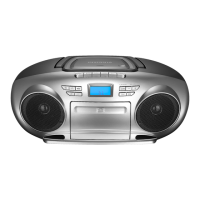
Multi-Function Stereo
Boombox with Bluetooth
NS-BBBT20

Questions and Answers

  • J
    Joshua MedinaAug 12, 2025
    What to do if my Insignia Portable Stereo System has no sound?
    • P
      piercewilliamAug 12, 2025
      If your Insignia Portable Stereo System isn't producing sound, try the following: First, increase the volume. Second, ensure the AC power cord is plugged in and the boombox is turned on by pressing the Standby/ON button. Third, check that fresh batteries are correctly installed. Fourth, verify that you've selected the correct source. Finally, if you're in AUX mode, confirm that the volume on your playback device isn't muted.
  • M
    Michael MooreAug 16, 2025
    What to do if the CD player on my Insignia NS-BBBT20 Portable Stereo System won't play?
    • M
      michellejuarezAug 16, 2025
      If the CD player on your Insignia Portable Stereo System won't play, check the following: Ensure a CD is in the tray, inserted label side up. Try a different CD. Make sure the CD player isn't paused and that CD mode is selected. Verify you're using a compatible CD (standard, 3" audio CDs, CD-Rs, and CD-RWs).
  • U
    utuckerAug 20, 2025
    Why does my Insignia NS-BBBT20 Bluetooth device keep unpairing?
    • A
      Angela CabreraAug 20, 2025
      If your Bluetooth device keeps unpairing from your Insignia Portable Stereo System, try shortening the distance between your boombox and your Bluetooth device. If the battery on your Bluetooth device is low, recharge it.
  • T
    Tanya SpencerAug 25, 2025
    How to fix CD skipping on Insignia Portable Stereo System?
    • N
      Nichole GreenAug 25, 2025
      If a CD skips while playing on your Insignia Portable Stereo System, try the following: Wipe the CD with a cloth to clean it. Try a different CD. Make sure that the CD is not warped, scratched, or damaged. Ensure your boombox isn't affected by vibration or shock; move it if necessary. Also, confirm you're using a compatible CD (standard and 3" audio CDs, CD-Rs, and CD-RWs).
  • L
    Laura PattersonAug 27, 2025
    How to improve AM/FM radio reception on Insignia Portable Stereo System?
    • C
      Craig ParkerAug 27, 2025
      If you're experiencing noise or distorted sound on AM or FM radio broadcasts with your Insignia Portable Stereo System, extend the FM antenna. Rotate your boombox until the best reception is obtained. Also, try turning off electrical appliances near your boombox, such as hair dryers, vacuum cleaners, or fluorescent lights.
  • S
    scott77Aug 31, 2025
    Why doesn't 'NS-BBBT20' appear on my Bluetooth device when trying to connect to my Insignia Portable Stereo System?
    • A
      Alan HaysAug 31, 2025
      If “NS-BBBT20” does not appear on your Bluetooth device when trying to connect to your Insignia Portable Stereo System, shorten the distance between your boombox and your Bluetooth device. Put your boombox into pairing mode, then refresh your list of Bluetooth devices. Make sure that your Bluetooth device is visible to other devices.
  • W
    wilsonjanetSep 4, 2025
    What to do if the sound is very low on my Insignia NS-BBBT20 Portable Stereo System?
    • M
      Maureen Ellis MDSep 4, 2025
      If the sound seems very low on your Insignia Portable Stereo System, and you are using AUX mode, make sure that the volume is turned up on both your audio source and your boombox.
  • L
    lauren23Sep 7, 2025
    What to do if a cassette tape won't play or record on my Insignia Portable Stereo System?
    • A
      Alex WolfSep 8, 2025
      If a cassette tape will not play or record on your Insignia Portable Stereo System, open the cassette door and make sure that the tape has not been tangled in the tape drive mechanism. Also, rewind your tape or turn it over to the other side.

Summary

Getting Started

Welcome and Safety Information

Introduces the product and covers essential safety precautions.

Product Features

Lists the boombox's key features and the items included in the package.

Controls and Interface

Panel Layouts

Details the controls and connections on the front, top, and back panels.

Display Information

Explains the information shown on the boombox display in various modes.

Setup and Operation

Setting Up the Boombox

Guides on connecting power and installing batteries.

Using the Radio

Instructions for tuning, presets, and reception improvement.

Playing CDs

Details CD playback, including track skipping and pausing.

Cassette Tape Usage

Covers playing and recording with cassette tapes.

Advanced Features

Recording to Cassette

Details how to record audio from radio, CD, or AUX to cassette tapes.

Bluetooth Connectivity

Explains pairing, streaming, and managing Bluetooth connections.

Troubleshooting and Maintenance

Troubleshooting Issues

Provides solutions for common problems like power, playback, and connectivity.

Maintenance and Cleaning

Guides on caring for discs, the CD lens, and the boombox exterior.

Specifications and Warranty

Product Specifications

Lists technical details like AC input, frequency range, and dimensions.

Legal Notices and Warranty

Covers FCC compliance and the one-year limited warranty terms.

Insignia NS-BBBT20 Specifications

General IconGeneral
BrandInsignia
ModelNS-BBBT20
CategoryPortable Stereo System
BluetoothYes
Built-in MicrophoneYes
Input Voltage5 V
Auxiliary Input3.5 mm
Wireless Range33 ft (10 m)

Related product manuals