EasyManua.ls Logo

Insignia NS-BIPCD02 - User Manual

Insignia NS-BIPCD02
21 pages
Print Icon
To Next Page IconTo Next Page
Loading...
NS-BIPCD02
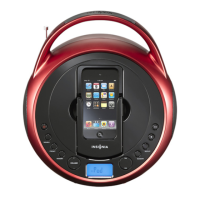
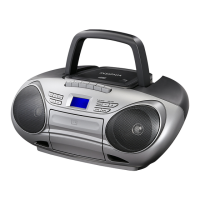
Boombox with iPod/iPhone dock and CD player
User Guide
NS-BIPCD02_12-0514_MAN_ENG_V2.fm Page 1 Tuesday, May 8, 2012 8:37 AM

Other manuals for Insignia NS-BIPCD02

Questions and Answers

  • S
    srogersAug 19, 2025
    What to do if there is no sound from Insignia NS-BIPCD02 Portable Stereo System?
    • L
      lgonzalezAug 19, 2025
      If you are experiencing a lack of sound from your Insignia Portable Stereo System, ensure that the power is connected and the system is turned on. Also, verify that your external device is both turned on and playing, with the volume turned up and not muted. Finally, check that the volume on the stereo system itself is not set too low.
  • D
    Dustin OdomAug 21, 2025
    How to fix Insignia NS-BIPCD02 boombox that won’t turn on?
    • A
      Alexander ChanAug 21, 2025
      If your Insignia Portable Stereo System boombox isn’t turning on, first ensure that the power cord is fully inserted into the power outlet and firmly connected to the DC IN jack on the back. If you're using batteries, check to make sure they aren't dead.
  • J
    John WyattAug 25, 2025
    Why my iPod won’t charge when docked to Insignia Portable Stereo System?
    • B
      brettmercadoAug 25, 2025
      If your iPod isn't charging when docked to your Insignia Portable Stereo System, ensure that it is properly docked and the system is set to iPod mode. Also, verify that the hold function is not activated on your iPod, your iPod battery is not faulty, and the power cord is plugged in, as the iPod will not charge from battery power.
  • N
    Nicholas HinesAug 26, 2025
    How to fix Insignia NS-BIPCD02 boombox that will not play in FM mode?
    • D
      Donna AguilarAug 26, 2025
      If your Insignia Portable Stereo System boombox is not playing in FM mode, make sure to select FM mode by repeatedly pressing the SOURCE button. Ensure that the radio is correctly tuned to an FM station and that the FM antenna is extended.
  • R
    Robert PhillipsAug 28, 2025
    How to fix Insignia NS-BIPCD02 Portable Stereo System boombox that will not play in CD mode?
    • T
      Timothy KiddAug 28, 2025
      If your Insignia Portable Stereo System boombox is not playing in CD mode, make sure to select CD mode by repeatedly pressing the SOURCE button. Also, ensure that the CD is correctly inserted with the label facing up and that the CD is not a DVD.
  • J
    Julia LarsenAug 30, 2025
    What to do if my external audio device (MP3 player) won't play on Insignia Portable Stereo System?
    • M
      matthew68Aug 30, 2025
      If your external audio device (MP3 player) won't play on your Insignia Portable Stereo System, ensure that your external device is on, charged, and not paused. Select AUX mode by pressing the SOURCE button repeatedly. Verify the audio cable is fully inserted into both the external device and the AUX IN jack on the boombox, and confirm that the external device contains songs and is working properly before connecting it.
  • J
    Jason ReynoldsSep 1, 2025
    What to do if the CD skips while playing on Insignia NS-BIPCD02?
    • Z
      zroseSep 1, 2025
      If the CD skips while playing on your Insignia Portable Stereo System, make sure that the CD is not dirty or scratched. Clean the CD if necessary. Also, ensure that you are using a standard CD (normal size and shape).
  • A
    Angela RamirezSep 3, 2025
    Why is there no sound coming from my Insignia Portable Stereo System?
    • C
      Christopher OconnorSep 3, 2025
      If you're not getting any sound from your Insignia Portable Stereo System, here are a few things to check: * Ensure the power is connected and the device is turned on. * If you're using an external device, verify that it's powered on and playing. * Also, check the volume levels on both the external device and the stereo system to make sure they aren't muted or set too low.
  • S
    santostravisSep 5, 2025
    What to do if my Insignia NS-BIPCD02 Portable Stereo System boombox won’t turn on?
    • L
      Leah Williams PhDSep 5, 2025
      If your Insignia Portable Stereo System isn't turning on, ensure the power cord is fully inserted into the power outlet and firmly connected to the DC IN jack on the back of the device. If you're using batteries, make sure they are not dead.
  • M
    Madison MillerSep 7, 2025
    Why won't my iPod/iPhone play on my Insignia NS-BIPCD02 Portable Stereo System?
    • N
      Nathan JohnsonSep 8, 2025
      If your iPod/iPhone isn't playing on your Insignia Portable Stereo System, check the following: 1. Make sure your iPod/iPhone is on and charged. 2. Select iPod mode by repeatedly pressing the SOURCE button. 3. Ensure your iPod is not paused and that the hold function is not activated. 4. Verify your iPod is properly docked and contains songs. 5. Also, ensure that your iPod is working correctly before docking it. Try cleaning the connectors in the docking compartment and on your iPod. If problems persist, your iPod software may be outdated. Visit www.apple.com for details on how to upgrade.

Summary

Introduction

Safety Information and Precautions

Safety Symbols Explained

Details symbols for electric shock risk and important operating instructions.

Essential Safety Instructions

Comprehensive list of 17 instructions for safe operation and maintenance.

Product Features and Contents

Package Contents List

Lists all items included in the product package.

Top View Component Identification

Top Panel Controls and Indicators

Identifies and describes buttons, knobs, and displays on the top surface.

Front View Component Identification

Front Panel Components

Details speakers, iPod/iPhone dock, and iPhone holder on the front.

Back and Bottom View Component Identification

Back Panel Connections

Details rear ports: Headphone, DC IN, and AUX IN jacks.

Bottom Panel Battery Compartment

Instructions for accessing and installing batteries in the bottom compartment.

Setting Up Your Insignia Boombox

Powering Options for the Boombox

Explains powering via AC adapter or batteries.

Battery Installation Guide

Step-by-step guide for inserting 'C' size batteries correctly.

AC Adapter Connection Procedure

Instructions for connecting the AC adapter to the boombox and power outlet.

Operating Your Boombox

Powering On and Source Selection

How to turn on and switch between FM, CD, iPod/iPhone, and AUX sources.

Volume Adjustment

Adjusting the audio volume level on the boombox.

iPod;iPhone Dock Usage

Steps to connect and play music from an iPod or iPhone.

iPod;iPhone Playback Control

Controls for playback, skipping tracks, and repeat modes for iPod/iPhone.

CD Player Operation Guide

CD Loading and Playback Start

Instructions for inserting CDs and starting playback.

CD Playback Controls and Modes

How to pause, stop, skip tracks, fast forward/reverse, and use repeat functions.

External Audio Source Playback

Connecting External Devices via AUX

How to connect MP3 players or other devices via AUX IN.

Controlling External Device Playback

Selecting AUX mode and controlling playback from the external device.

FM Radio Tuning and Presets

Tuning FM Stations

Methods for finding FM radio frequencies and stations.

Storing and Selecting Preset Stations

Guide to saving favorite FM stations and tuning to them.

FM Reception Modes

Stereo vs. Mono Reception

Adjusting reception mode for optimal FM sound quality.

Troubleshooting Common Issues

Problem Resolution Guide

Addresses issues like power, sound, FM, CD, and iPod/iPhone playback.

Maintenance and Product Specifications

Care and Cleaning Instructions

Guidelines for cleaning and caring for the boombox to avoid damage.

Product Technical Specifications

Lists power, dimensions, and weight of the boombox.

Legal and Regulatory Notices

FCC Part 15 Compliance Statement

Details compliance with FCC rules for digital devices and interference.

Canada ICES-003 Compliance

States compliance with Canadian ICES-003 standards for digital apparatus.

Warranty Policy Details

Warranty Coverage and Service Procedures

Explains warranty duration, what is covered, and how to obtain service.

Warranty Exclusions and Limitations

Lists conditions not covered and limitations on damages.

Warranty Terms and Disclaimers

Covers limitations on incidental/consequential damages and implied warranties.

Insignia NS-BIPCD02 Specifications

General IconGeneral
BrandInsignia
ModelNS-BIPCD02
CategoryPortable Stereo System
LanguageEnglish

Related product manuals