EasyManua.ls Logo

Insignia NS-BBTCD01 - User Manual

Insignia NS-BBTCD01
28 pages
Print Icon
To Next Page IconTo Next Page
Loading...
User Guide
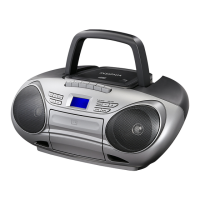
CD Boombox with Bluetooth
NS-BBTCD01
Before using your new product, please read these instructions to prevent any damage.

Other manuals for Insignia NS-BBTCD01

Questions and Answers

  • S
    Sean McintoshJul 29, 2025
    Why does my Insignia Portable Stereo System have no sound?
    • J
      jeremywalkerJul 29, 2025
      If your Insignia Portable Stereo System isn't producing sound, several factors could be at play. First, ensure the volume isn't set too low by rotating the volume control knob. Verify that you've selected the correct audio source by pressing the Source button until the appropriate indicator appears on the LCD. Also, confirm that the boombox is powered on by pressing the power button. Check the AC power adapter to ensure it's securely and correctly connected to both the boombox and the power outlet. Finally, if you're using battery power, the batteries may be dead and need replacing.
  • G
    goldensamanthaAug 2, 2025
    What to do if CD skips while playing on Insignia NS-BBTCD01 Portable Stereo System?
    • R
      Roberto CaldwellAug 2, 2025
      If your Insignia Portable Stereo System CD skips, it could be due to movement. Avoid moving the boombox while a CD is playing, and ensure it's placed on a flat, steady surface. Also, the CD might be dirty, so try cleaning it. If the issue persists, the CD itself may be damaged, so try a different CD.
  • A
    Andrew WilsonAug 6, 2025
    How to fix CD will not play problem on Insignia NS-BBTCD01?
    • S
      Sydney WhiteAug 6, 2025
      If your Insignia Portable Stereo System CD won't play, make sure that you've inserted the CD correctly with the label facing up. If it still doesn't play, the CD might be dirty, so try cleaning it. As a last resort, the CD may be damaged, so try using a different CD to see if that resolves the problem.
  • M
    Michael ChavezAug 11, 2025
    What to do if Insignia NS-BBTCD01 Portable Stereo System does not pair with Bluetooth device?
    • A
      Alyssa GriffinAug 11, 2025
      If your Insignia Portable Stereo System is in pairing mode but won't pair with your Bluetooth device, first ensure that the Bluetooth device is turned on. Next, make sure to select NS-BBTCD01 on the Bluetooth device after setting it to pairing mode, referring to the device's instructions if needed. Also, ensure the Bluetooth device is within 33 feet (10 m) of the boombox. Finally, confirm that the Bluetooth device uses either the A2DP or AVRCP Bluetooth protocol, as these are the protocols supported by your boombox.
  • D
    Donna Rios MDAug 15, 2025
    Why Insignia Portable Stereo System won't re-pair with Bluetooth device?
    • W
      weisstroyAug 15, 2025
      If your Insignia Portable Stereo System was previously paired with a Bluetooth device but won't re-pair, you may need to re-select the boombox on your Bluetooth device. Ensure that the Bluetooth device is in pairing mode, then select NS-BBTCD01 on the Bluetooth device. Also, make sure that the Bluetooth device is within 33 feet (10 m) of your boombox.
  • J
    John BrownAug 19, 2025
    How to start pairing mode on Insignia NS-BBTCD01?
    • A
      Amanda BenderAug 19, 2025
      If your Insignia Portable Stereo System won't start pairing mode, it might be because Bluetooth is not selected as the audio source. Press the Source button until 'BT' appears on the LCD, and then press the Bluetooth pairing button.
  • K
    knguyenAug 25, 2025
    How to improve radio reception on Insignia Portable Stereo System?
    • B
      bhurstAug 25, 2025
      If you're experiencing noise or static when playing the radio on your Insignia Portable Stereo System, try these steps: * Fully extend the FM antenna and adjust its position for optimal reception. * For AM reception, reposition the boombox to find the best signal. * If the station signal is weak, try tuning into another station.

Summary

Surge Protectors

Top Panel Features

Back Panel Connections

LCD Display Guide

Setting Up Your Boombox

Installing Batteries

Connecting Headphones

Turning Boombox On or Off

Selecting the Audio Source

Selecting the Sound Mode

Using a Bluetooth Device

Pairing with a Bluetooth Device

Steps to connect a Bluetooth device to the boombox.

Bluetooth Device Operation

Playing Audio from a Bluetooth Device

How to play music wirelessly from a paired Bluetooth device.

Playing the Radio

Setting Radio Station Presets

Using the CD Player

CD Playback Control

CD Playback Modes

Playing Audio from Connected Device

Troubleshooting

Troubleshooting Radio Reception

Troubleshooting CD Player

Troubleshooting Bluetooth

Cleaning CDs

Specifications

Insignia NS-BBTCD01 Specifications

General IconGeneral
BrandInsignia
ModelNS-BBTCD01
CategoryPortable Stereo System
LanguageEnglish

Related product manuals