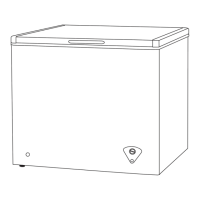
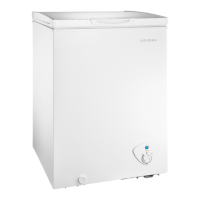
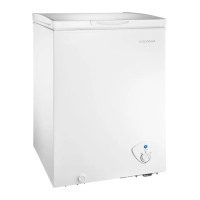
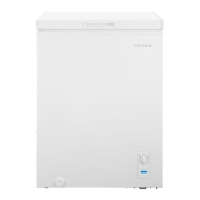
This document describes the Insignia 14 Cu. Ft. Chest Freezer, models NS-CZ14WH2 and NS-CZ14WH2-C, providing a user guide for its setup, operation, and maintenance.
Function Description:
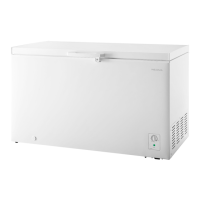
The Insignia 14 Cu. Ft. Chest Freezer is designed for reliable and trouble-free performance, offering a dedicated space for freezing and storing food items. It is a freestanding unit, not intended for recessed or built-in installation. The freezer features a top-opening door with a handle and a lock latch for security. Inside, it includes removable storage baskets for organization. The temperature is controlled via a knob with settings ranging from 1 (Cold) to 7 (Coldest), with 4 being the recommended setting. A power indicator light confirms operation. The freezer is designed to be "garage ready," meaning it can operate effectively in ambient temperatures ranging from 0° to 110° F (-17.8° to 43.3° C).
Important Technical Specifications:
- Dimensions (H × W × D): 32 5/16 × 54 5/8 × 28 1/4 inches (82 × 138.6 × 71.6 cm).
- Weight: 112.4 lbs. (51 kg).
- Power Requirements: 115V~60Hz.
- Current: 2A.
- Power Consumption (annual): 282 kWh.
- Garage Ready: Yes, operates in ambient temperatures of 0° to 110° F (-17.8° to 43.3° C).
- Capacity: 14 cubic feet.
- Refrigerant: Contains refrigerants that must be removed before disposal according to federal and local regulations.
Usage Features:
- Setup:
- Upon delivery, allow the freezer to stand upright for approximately 24 hours before connecting to power to prevent cooling system malfunctions.
- Clean the interior with lukewarm water and a soft cloth before first use.
- The door handle and lock latch require installation using a Phillips screwdriver. The screw cover for the handle is partially attached upon arrival and should be pressed on after installation.
- Ensure proper grounding with a three-prong plug into a standard three-prong wall outlet (115V AC only, 60Hz). Do not use extension cords.
- Place the freezer on a strong, level floor, allowing 6 inches (15 cm) of space from surrounding walls for air ventilation.
- Avoid direct sunlight and heat sources.
- Level the freezer using the adjustable front and back left feet by turning them clockwise to lower or counterclockwise to raise.
- Operation:
- Plug the freezer into a power outlet; the power indicator light will turn green.
- For initial use, set the temperature control to 7 (Coldest) and run for two to three hours before adding food.
- After initial cooling, adjust the temperature control to the desired setting (1 for Cold, 7 for Coldest; 4 is recommended).
- Place frozen food into the freezer as quickly as possible after purchase, following packaging instructions for storage times.
- Do not overload the freezer or place food on the air outlet to ensure proper airflow and cooling efficiency.
- If the freezer is unplugged, loses power, or is turned off, wait three to five minutes before restarting.
- Locking: Insert the key and turn it to lock or unlock the door. Always exercise caution to prevent child entrapment.
Maintenance Features:
- Defrosting:
- Defrost when frost on walls is 0.2 to 0.4 inches (5 to 10 mm) thick for optimal efficiency.
- Choose a time when frozen food stock is low.
- Remove all frozen food and place it in a refrigerator or cooler.
- Turn the thermostat knob to OFF and unplug the freezer.
- Place a shallow pan under the exterior drainage hole to catch melted ice.
- Remove the drain plug inside the freezer and pull out the water conduit on the outside to allow water to drain.
- Do not use boiling water or sharp/metallic instruments to remove frost to avoid damaging plastic parts or cooling coils. Warm water can be used to speed up the process.
- After defrosting, clean the interior.
- Cleaning:
- Unplug the freezer and remove all food.
- Wash storage baskets with a mild detergent solution.
- Clean the inside with a damp warm cloth soaked in a solution of one quart of lukewarm water to two tablespoons of baking soda.
- Dry the interior and exterior with a soft cloth.
- Clean the door gasket (seal) regularly to maintain efficiency.
- Do not use gasoline, benzine, thinner, or abrasive cleaners, as they can damage the finish.
- Storing:
- Turn off and unplug the freezer, remove all food, and clean it.
- Leave the door slightly open to prevent condensation, mold, and odors.
- Use extreme caution with children when the freezer is stored with the door open.
- Moving:
- Turn off and unplug the freezer, remove all food.
- Securely tape down all loose items and tape the door shut.
- Keep the freezer in an upright position during transportation.


 To Next Page
 General