
 To Next Page
J
Jessica AdkinsJul 26, 2025
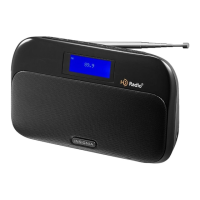
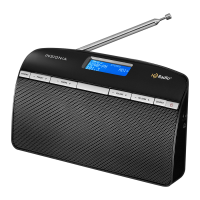
Why is my Insignia NS-HDRAD Radio FM reception fuzzy?
- MMercedes RichmondJul 26, 2025
To improve reception, extend the antenna or move your Insignia Radio closer to a window.



Why is my Insignia NS-HDRAD Radio FM reception fuzzy?
To improve reception, extend the antenna or move your Insignia Radio closer to a window.
How to fix Insignia Radio that won’t turn on?
To resolve the issue with your Insignia Radio not turning on, ensure the power cord is fully inserted into the power outlet and firmly connected to the DC IN jack on the back. If you're using batteries, check that they are not dead.
What to do if my Insignia NS-HDRAD has no sound?
If there is no sound, ensure the radio is powered on and the volume isn't too low. Also, if using an external device, verify it's on, playing, and the volume is appropriately adjusted, not muted.
Why does my Insignia Radio HD Radio keep switching between Digital and Analog?
The HD Radio sound switching between Digital and Analog audio may be caused by being out of range of the HD Radio stations area. Extend your antenna or move your Insignia Radio closer to a window to improve reception.
What to do if my Insignia NS-HDRAD Radio will not play in FM mode?
If your Insignia Radio will not play in FM mode, make sure that your radio is set to FM mode, correctly tuned to an FM station, and the FM antenna is extended.
How to control MP3 player from Insignia Radio?
You need to use the controls on your MP3 player to control playback.
Essential safety guidelines for using the radio safely, covering usage and precautions.
Lists all items included in the product packaging for the HD Radio Tabletop.
Identifies and describes the buttons, display, and indicators on the front of the radio.
Details the ports, antenna, and battery compartment on the rear of the radio.
Specifies the location and use of the headphone output connector.
Shows the radio's display screen layout and information.
Explains the different radio reception modes available.
Explains the standard analog FM radio reception.
Information on how to power the radio using AC adapter or batteries.
Step-by-step guide for inserting batteries into the compartment.
Instructions for connecting the AC power adapter to the radio and outlet.
How to power on the radio unit.
How to switch between Tuner and AUX input sources.
How to adjust the audio volume level.
Details on how to tune to radio stations.
Guide on saving favorite radio stations for quick access.
How to select a previously stored preset radio station.
Instructions for connecting and playing audio from external devices.
Guidance on connecting and using headphones with the radio.
How to automatically search for HD Radio stations.
Information on displaying station details and HD multicast channels.
Provides overall specifications for power, dimensions, and weight.
Details the radio's receiving band and tuning range.
Outlines power output and headphone impedance.
States compliance with FCC rules regarding radio frequency interference.
Alerts users about modifications that could void FCC compliance.
Confirms compliance of the digital apparatus with Canadian ICES-003.
Explains terms like "Product" and "Warranty Period".
Specifies the length of the warranty period.
Details the scope of the warranty regarding defects and repairs.
Provides instructions on how to get the product serviced.
States the geographical areas where the warranty is applicable.
Lists exclusions from the warranty coverage.
Details warranty exclusions, liability limits, and customer service contact.
 General
| Brand | Insignia |
|---|---|
| Model | NS-HDRAD |
| Category | Radio |
| Tuner Bands | AM/FM |
| HD Radio | Yes |
| Alarm Clock | Yes |
| Display Type | LCD |
| Power Source | AC |
| Presets | 20 |
| Headphone Jack | Yes |
| Antenna | Built-in |
| Type | HD Radio |