EasyManua.ls Logo

Insignia NS-HDVD18 - User Manual

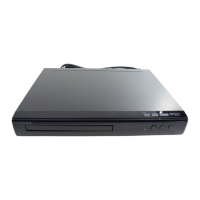
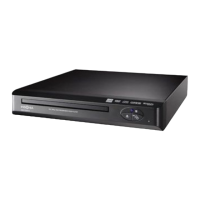
Insignia NS-HDVD18
17 pages
Print Icon
To Next Page IconTo Next Page
Loading...
Before using your new product, please read these instructions to prevent any damage.
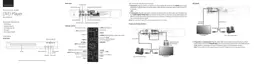
USER GUIDE
DVD Player
NS-HDVD18
NS-HDVD18_17-0080_MAN_V1_ENG.fm Page 1 Thursday, April 20, 2017 4:08 PM

Other manuals for Insignia NS-HDVD18

Questions and Answers

  • C
    Catherine JacksonJul 27, 2025
    Why is there no sound on my Insignia NS-HDVD18 DVD Player?
    • S
      sdudleyJul 27, 2025
      If you're experiencing sound issues with your Insignia DVD Player, try these solutions: First, adjust the volume to ensure it's at an audible level. Also, verify that the sound isn't muted. Finally, check that all cables are correctly and securely inserted into the appropriate jacks.
  • W
    William CookeJul 31, 2025
    What to do if my Insignia NS-HDVD18 DVD Player disc does not play?
    • K
      Katherine HoffmanAug 1, 2025
      If your Insignia DVD Player isn't playing discs, make sure that the disc is inserted with the label side facing up. Also, confirm that the disc is compatible with your player. This DVD player can play region code 1 DVDs and audio CDs, but not Blu-ray or 3D discs. Finally, ensure that you've selected the correct input on your TV or monitor.
  • L
    lisagarciaAug 6, 2025
    What to do if my Insignia NS-HDVD18 play starts, then stops immediately?
    • M
      Mark HodgesAug 6, 2025
      If your Insignia DVD Player starts playing a disc but stops immediately, check that the DVD's region code matches your DVD player's region code (which is 1). The DVD's region code is usually printed on the DVD or its packaging. Also, make sure the disc isn't dirty. If condensation has formed inside the DVD player, allow it to dry out completely before attempting to play a disc.
  • S
    Sarah LewisAug 11, 2025
    Why can't I fast forward on my Insignia DVD Player?
    • K
      klopezAug 11, 2025
      If you are unable to fast-forward on your Insignia DVD Player, it may be due to the following reasons: You cannot fast-forward through opening credits and warning information at the beginning of a movie. Also, some DVDs do not allow rapid scanning or skipping of titles or chapters.
  • W
    William WilliamsAug 16, 2025
    What does 'Invalid Key' mean on my Insignia NS-HDVD18?
    • D
      David ChaneyAug 16, 2025
      The 'Invalid Key' message on your Insignia DVD Player screen indicates that the action you attempted cannot be performed. This could be because: the DVD software doesn't allow it; the DVD doesn't support the feature (like subtitles); the feature isn't available at the current point on the DVD; or you entered a title or chapter number that is out of range.
  • R
    Robert MoraAug 21, 2025
    Why is the picture distorted on my Insignia NS-HDVD18?
    • C
      Christopher ThompsonAug 21, 2025
      Picture distortion on your Insignia DVD Player can occur. During fast-forwarding or fast-reversing, distortion is normal. However, if distortion occurs during regular playback, the DVD may be damaged. Try playing another DVD to see if the issue persists.

Summary

Important Safety Instructions

Safety Symbols and Warnings

Explains safety symbols related to electric shock and operating instructions.

General Safety Precautions

Laser and Electrical Safety

Highlights laser device safety and electrical insulation class.

Features and Package Contents

Package Contents

Lists items included in the DVD player package.

DVD Player Overview

Details front and back views of the DVD player and its components.

Remote Control Functions

Button Descriptions

Explains the function of each button on the remote control.

Setting Up Your DVD Player

Connecting to Power and TV

Guide for connecting the DVD player to AC power and TV using component video.

AV Cable Connection

AV Connection Method

Details how to connect the DVD player to a TV using standard AV cables.

Coaxial Connection and Basic Operation

Coaxial Cable Setup

Connects the DVD player's coaxial output to a TV's antenna jack.

Powering and Playing Discs

Instructions for turning the player on/off and inserting/playing discs.

Playback Control and Setup

Playback Functions

Details on stopping, pausing, fast-forwarding, and navigating DVD/CD playback.

Programming and Volume

Explains programming playback sequences and adjusting volume.

General Setup Menu

Display and Security Settings

Configures aspect ratio, screen saver, password, and parental controls.

System Reset

Option to reset all settings to factory defaults.

Language and Audio Setup

Language Configuration

Sets OSD, Audio, Subtitle, and Disc Menu languages.

Audio Output Modes

Sets Digital Out mode (BITSTREAM/PCM) and Dynamic Range.

Troubleshooting Common Issues

Problem Resolution

Provides solutions for common problems like no sound or discs not playing.

Maintenance and Care

Cleaning the Player

Instructions for cleaning the exterior of the DVD player.

Disc Handling

Guidelines for proper handling and care of discs.

Specifications

Technical Details

Lists compatible discs, signal system, video/audio specs, power, weight, and dimensions.

Legal Notices

FCC Compliance

Details FCC rules and compliance statements for the device.

Regulatory Information

FCC and IC Warnings

Covers FCC warnings and Canadian ICES-003 compliance.

Dolby Licensing

Acknowledgement of Dolby Laboratories' license and trademarks.

One-Year Limited Warranty

Warranty Terms and Service

Defines warranty period, what is covered, and how to obtain service.

Warranty Exclusions

Lists conditions and damages not covered by the warranty.

Extended Warranty Exclusions and Disclaimers

Further Exclusions and Limitations

Details additional exclusions, liability limitations, and contact info.

Insignia NS-HDVD18 Specifications

General IconGeneral
BrandInsignia
ModelNS-HDVD18
CategoryDVD Player
LanguageEnglish

Related product manuals