EasyManua.ls Logo

Insignia NS-MC60SS9 - User Manual

Insignia NS-MC60SS9
32 pages
Print Icon
To Next Page IconTo Next Page
Loading...
Before using your new product, please read these instructions to prevent any damage.
USER GUIDE
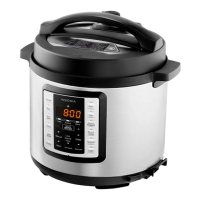
6 Qt. Multi-Function
Pressure Cooker
NS-MC60SS9
NS-MC60SS9_18-0383_MAN_V1_ENG.fm Page 1 Monday, July 23, 2018 4:44 PM
Final trim size(WxH): 5.512" x 8.268" (140 x 210 mm).
V1
FINAL
FOR PRINT

Questions and Answers

  • C
    Cody HullAug 20, 2025
    How to troubleshoot Insignia Electric Pressure Cooker that is not working?
    • W
      wigginsjamesAug 20, 2025
      If your Insignia Electric Pressure Cooker isn't working, ensure the power cord is securely plugged into a working power outlet. Check the circuit breaker and reset it if necessary. Also, the cooker might have overheated; unplug it, let it cool down completely, and then try using it again.
  • S
    Sarah LawrenceAug 22, 2025
    What to do if I cannot open the lid of my Insignia NS-MC60SS9 Electric Pressure Cooker?
    • S
      sarahsolomonAug 22, 2025
      If you cannot open the lid of your Insignia Electric Pressure Cooker, and the floating valve is popped up, wait until the valve drops down. You can use the quick release method with oven mitts to open the lid. If the floating valve is damaged, press the Cancel button, then unplug the power cord from the power outlet. Use the quick release method to release any built up pressure and let your cooker cool before opening it. Take your cooker to a Best Buy authorized service center for repair.
  • G
    gcamachoAug 25, 2025
    What to do if I cannot close the lid on my Insignia NS-MC60SS9 Electric Pressure Cooker?
    • D
      david75Aug 25, 2025
      If you cannot close the lid of your Insignia Electric Pressure Cooker, check if the floating valve is out (popped up). If it is, inspect the valve for any residue and clean it if necessary. If the floating valve is damaged, take your cooker to a Best Buy authorized service center for repair.
  • E
    Ethan DayAug 26, 2025
    What to do if my Insignia NS-MC60SS9 display lights up but doesn't heat?
    • T
      Timothy IngramAug 26, 2025
      If the display and buttons light up on your Insignia Electric Pressure Cooker, but it does not heat, press the Cancel button, then unplug the power cord from the power outlet. Take your cooker to a Best Buy authorized service center for repair.
  • A
    Aaron MartinAug 27, 2025
    What to do if I cannot close the lid of my Insignia Electric Pressure Cooker?
    • M
      Michael BrownAug 27, 2025
      If you cannot close the lid of your Insignia Electric Pressure Cooker, check the floating valve for residue if it's out (popped up), and clean it if necessary. If the floating valve is damaged, take your cooker to a Best Buy authorized service center for repair.
  • C
    cameron31Aug 29, 2025
    What to do if display doesn't light up on my Insignia Electric Pressure Cooker?
    • V
      Valerie BlackAug 30, 2025
      If your Insignia Electric Pressure Cooker heats up, but the display or buttons do not light up, press the Cancel button, then unplug the power cord from the power outlet. Take your cooker to a Best Buy authorized service center for repair.
  • L
    leslie26Aug 31, 2025
    Why is steam leaking from the sides of the lid on my Insignia NS-MC60SS9?
    • R
      Russell AdamsAug 31, 2025
      If steam is leaking from the sides of the lid of your Insignia Electric Pressure Cooker, first ensure the lid is correctly closed and the lock symbol is aligned. If the issue persists, the sealing gasket may be missing or damaged, or there might be residue preventing a good seal. Try cleaning the gasket and lid, or install the sealing gasket, then try again. If the sealing gasket is damaged, take your cooker to a Best Buy authorized service center for repair.
  • R
    Raymond HuberSep 2, 2025
    Why doesn't the floating valve pop up on my Insignia NS-MC60SS9?
    • A
      Alec ReynoldsSep 2, 2025
      If the floating valve on your Insignia Electric Pressure Cooker isn't popping up, it could be due to insufficient liquid to create enough pressure, or residue may be blocking the valve. Press the Cancel button, then unplug the power cord from the power outlet. Use the quick release method to release any built up pressure and let your cooker cool before opening it. Add more liquid or clean the valve, and then try again.
  • S
    suttonjeremiahSep 4, 2025
    Why is steam constantly releasing from the pressure release valve of my Insignia NS-MC60SS9 Electric Pressure Cooker?
    • L
      Linda JacksonSep 4, 2025
      If steam is continually being released from the pressure release valve of your Insignia Electric Pressure Cooker, the release valve may not be seated correctly or may be damaged. It's also possible that your cooker is building up too much pressure. Press the Cancel button, then unplug the power cord from the power outlet. Wait until the steam flow stops, then use oven mitts to push the valve down. If the release valve is damaged or your cooker may be building up too much pressure, take your cooker to a Best Buy authorized service center for repair.
  • M
    Michael BooneSep 6, 2025
    Why is my Insignia NS-MC60SS9 producing an odor or smoke?
    • D
      Derek GreenSep 6, 2025
      Your Insignia Electric Pressure Cooker may produce an odor or emit smoke when you turn it on for the first time. This is normal and occurs as it eliminates residues from the production process. Put the inner pot inside your cooker, then fill the pot with at least two cups of water. Let your cooker heat for at least 10 minutes without the lid or food until the odor and smoke are eliminated. If this is not the first time you turned on your cooker, it may be damaged. Press the Cancel button, then unplug the power cord from the power outlet. Use the quick release method to release any built up pressure and let your cooker cool before opening it. Take your cooker to a Best Buy authorized service center for repair.

Summary

IMPORTANT SAFEGUARDS

IMPORTANT SAFEGUARDS

Essential safety precautions and warnings for operating the pressure cooker.

Features

Package contents

Components

Control and display panel

Cook programs

Accessories

Alert sounds, display messages, and lights

Protection features

Setting up your cooker

Before using your cooker

Initial steps and precautions before operating the pressure cooker.

Tips and hints for using your cooker

Assembling your cooker

Positioning your cooker

Using your cooker

Closing the lid

Instructions for properly closing and securing the cooker lid before operation.

Opening the lid

Filling with food

Selecting a cooking program and cook time

Setting the delay timer

Using the quick release method to open the lid

Steaming vegetables or fish

Searing or sautéing food

Making a cake

Cleaning your cooker

Storing your cooker

Troubleshooting

Specifications

ONE-YEAR LIMITED WARRANTY

Insignia NS-MC60SS9 Specifications

General IconGeneral
Capacity6 quarts
Power1000 watts
MaterialStainless Steel
Control typeDigital
Keep Warm FunctionYes
Delay TimerYes
Pressure SettingsHigh and Low
FunctionsPressure cook, slow cook, rice, saute, steam
Safety featuresOverheat protection, pressure release valve
Automatic ProgramsYes (preset cooking programs)

Related product manuals