To Next PageTo Next Page
 Need help?
Do you have a question about the Insignia NS-PS10MC and is the answer not in the manual?
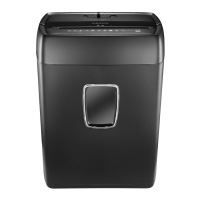
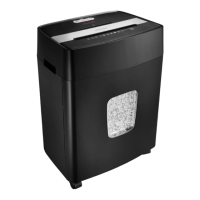
Slot for inserting CDs and DVDs, one at a time.
Lights indicating Power, Overload, and Overheat status.
Slot for inserting up to 10 sheets of paper or one credit card.
Operates the shredder: On/Auto, Off, and Reverse (Rev).
Allows visual check of wastebasket fullness.
Container for shredded material, to be emptied when 2/3 full.
Features for easy movement and positioning of the shredder.
Place the wastebasket securely in the shredder. Avoid plastic bags.
Connect the power cord to a suitable power outlet.
Slide the power switch to On/Auto to prepare for shredding.
Insert paper or discs into appropriate slots. Avoid clips and tape.
Use the REV switch to reverse paper and clear jams.
Empty the wastebasket when it reaches 2/3 capacity.
Avoid touching slots, keep children/pets away, and loose items clear.
Unplug before cleaning, avoid heat/humidity, unplug when not in use.
Do not use aerosol products nearby; ensure socket-outlet is accessible.
 General
| Brand | Insignia |
|---|---|
| Model | NS-PS10MC |
| Category | Paper Shredder |
| Language | English |