EasyManua.ls Logo

Insignia NS-PSB4521 - User Manual

Insignia NS-PSB4521
11 pages
Print Icon
To Next Page IconTo Next Page
Loading...
2.1 Bluetooth
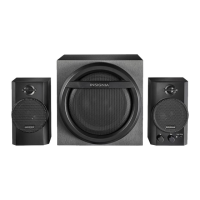
Computer Speakers
NS-PSB4521/NS-PSB4521-C
Before using your new product, please read these instructions to prevent any damage.
USER GUIDE
NS-PSB4521_NS-PSB4521-C_14-0387_MAN_V4_ENG.book Page i Wednesday, July 2, 2014 8:07 AM

Other manuals for Insignia NS-PSB4521

Questions and Answers

  • A
    Angela McfarlandJul 31, 2025
    What to do if Bluetooth connection cannot be established on Insignia Speakers?
    • C
      Charles MoralesJul 31, 2025
      If you're having trouble establishing a Bluetooth connection with your Insignia Speakers, try the following: * Reduce the distance between your Bluetooth device and the speaker system. * Turn your Bluetooth device off and then on again to clear the device name, then try connecting again. * Ensure both your speaker system and Bluetooth device are in pairing mode. * Verify that your Bluetooth device supports the Bluetooth 3.0 + EDR A2DP protocol. * Make sure your Bluetooth device isn't connected to any other device. * Confirm you've selected Insignia NS-PSB4521 on your Bluetooth device.
  • Y
    Yesenia BrightAug 5, 2025
    How to fix no sound or low volume in Bluetooth mode on Insignia Speakers?
    • B
      Bob HillAug 6, 2025
      If your Insignia Speakers have no sound or low volume in Bluetooth mode: * Increase the volume on your speaker system. * Increase the volume on your Bluetooth device. * Ensure that your Bluetooth device is not muted.
  • C
    Christina ThomasAug 12, 2025
    Why do my Insignia Speakers and my Bluetooth device keep unpairing?
    • E
      Erica PowersAug 12, 2025
      If your Insignia Speakers and Bluetooth device keep unpairing, ensure that: * The AUX cable is disconnected. * The distance between your Bluetooth device and speaker system is short. * If the battery level on your Bluetooth device is low, recharge it.
  • J
    Jamie AndersonAug 17, 2025
    What to do if there is no sound or low volume in AUX IN mode on Insignia Speakers?
    • D
      David StoneAug 17, 2025
      If your Insignia Speakers have no sound or low volume in AUX IN mode: * Ensure that the 3.5mm stereo audio cable is NOT connected. * Turn up the volume on your speaker system. * Turn up the volume on your audio device. * Make sure that the connected audio device is not muted.
  • K
    kimberlyallenAug 23, 2025
    How to troubleshoot no power issue with Insignia Speakers?
    • C
      Catherine PadillaAug 25, 2025
      If your Insignia Speakers have no power, check the following: * Ensure the power cord is securely and correctly connected. * Verify the power outlet is working by plugging in another device, like a lamp.

Summary

Important Safety Instructions

General Safety Guidelines

Covers reading instructions, heeding warnings, following procedures, and environmental safety precautions.

Electrical and Usage Precautions

Details on plug safety, power cord protection, accessory use, and handling during storms or servicing.

Hazard Warnings and Symbols

Explains risks of fire, electric shock, and interprets warning symbols for safe operation.

Front of Right Speaker Controls

Speaker Connection Guide

Setting Up Your Bluetooth Speaker System

Bluetooth Setup Procedure

Step-by-step guide to connect the speaker system for Bluetooth operation, including placement and cable connections.

Powering the Speaker System On and Off

Connecting Devices to Your Speaker System

Using Bluetooth Mode Features

Pairing a Bluetooth Device

Steps to pair your speaker system with a Bluetooth-enabled device for wireless audio playback.

Bluetooth Device Management

Audio Operation and Source Selection

Troubleshooting Common Speaker Issues

Power, Audio, and Connection Problems

Solutions for issues related to power, sound volume, Bluetooth connectivity, and unpairing.

Insignia NS-PSB4521 Specifications

General IconGeneral
BrandInsignia
ModelNS-PSB4521
TypeSpeaker System
Configuration2.1
Frequency Response40Hz - 20kHz
ColorBlack
BluetoothNo
Wireless SubwooferNo
Satellite Speakers Power Output10 Watts each
Inputs3.5mm audio, RCA
ControlsPower, volume, bass
Dimensions (Subwoofer)9.1 x 7.5 x 7.9 inches

Related product manuals