EasyManua.ls Logo

Insignia NS-HMSB20 - User Manual

Insignia NS-HMSB20
26 pages
Print Icon
To Next Page IconTo Next Page
Loading...
Before using your new product, please read these instructions to prevent any damage.
USER GUIDE
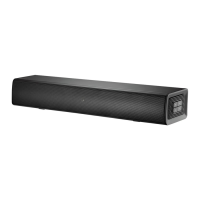
2.0 Channel Mini
Soundbar
NS-HMSB20

Questions and Answers

  • R
    Robin MaynardAug 15, 2025
    Why is there no sound from my Insignia NS-HMSB20?
    • C
      Christian CastilloAug 15, 2025
      If you're experiencing no sound or very low sound from your Insignia Speaker System, ensure the following: * You are connected to an audio OUT jack on your sound source. * The soundbar's volume is at an adequate level. * If using Bluetooth, the volume on your Bluetooth device is turned up and not paired with another device. * The sound is not muted. * The correct audio source is selected. * The power is on and all connections are secure. * The volume on your sound source is turned up. * If using OPTICAL, the source device’s audio source is set to “PCM” format. * The audio cable is not damaged (try another one). * The sound source device is outputting sound to the soundbar.
  • R
    rebeccabennettAug 18, 2025
    What to do if Insignia NS-HMSB20 Speaker System remote is not working?
    • B
      Brittany GonzalezAug 18, 2025
      If your Insignia Speaker System remote isn't working, try these steps: * Remove any obstructions between the remote and the soundbar's IR sensor. * Replace the remote batteries. * Move closer to the soundbar, ensuring you're within 26 ft. (8 m) and within 30° on either side.
  • W
    wilsonmichaelAug 21, 2025
    Why is there no sound in Bluetooth mode on Insignia NS-HMSB20 Speaker System?
    • M
      mullinsjacksonAug 22, 2025
      If there is no sound or low volume in Bluetooth mode on your Insignia Speaker System, ensure that: * Your Bluetooth device is turned on and Bluetooth is enabled, with “NS-HMSB20” selected. * The volume on both your soundbar and Bluetooth device are turned up. * Your Bluetooth device is not muted. * Music is playing from your Bluetooth device. * The Bluetooth source is selected on your soundbar. * Your soundbar and Bluetooth device are not paired to other devices.
  • R
    Robert WarnerAug 25, 2025
    How to fix Insignia NS-HMSB20 sound breaking up?
    • T
      thomassmithAug 26, 2025
      If your Insignia Speaker System sound is breaking up or buzzing, check the following: * Ensure you're connected to an audio OUT jack on your sound source. * Verify all connections are secure and cables are undamaged. * If using OPTICAL, confirm the source device’s audio source is set to “PCM” format. * Connect to a different source device to see if the buzzing persists. * Try a different connection method (e.g., Optical instead of AUX IN). * Make sure that the audio cable you are using is not damaged or broken. Try using another one.
  • M
    michellewrightAug 28, 2025
    Why does my Insignia NS-HMSB20 Speaker System Bluetooth keep disconnecting?
    • V
      Vernon PetersonAug 28, 2025
      If your Insignia Speaker System Bluetooth device keeps unpairing, try these steps: * Reduce the distance between your soundbar and your Bluetooth device. * If your Bluetooth device has a low battery, recharge it.
  • C
    clinton48Aug 31, 2025
    How to stop sound from TV when using Insignia Speaker System?
    • M
      Mrs. Cheryl LloydAug 31, 2025
      If you are hearing sound from both your TV and your Insignia Speaker System, turn off or mute the internal speakers of your TV.
  • D
    Denise FrazierSep 4, 2025
    Why doesn't 'NS-HMSB20' appear on my Insignia Speaker System Bluetooth device?
    • G
      Gabriel NolanSep 4, 2025
      If “NS-HMSB20” does not appear on your Bluetooth device when trying to connect to your Insignia Speaker System: * Reduce the distance between your soundbar and Bluetooth device. * Place your soundbar in pairing mode, then refresh the list of Bluetooth devices on your device. * Ensure your Bluetooth device is set to be visible to other devices.
  • B
    Brenda PonceSep 7, 2025
    Why doesn't my TV remote control my Insignia NS-HMSB20 Speaker System?
    • J
      Jessica WhiteSep 7, 2025
      If your TV remote is not controlling your Insignia Speaker System, note that universal remotes will only control your soundbar’s volume. Use the soundbar's controls or its remote to change the audio source or sound mode. Ensure you aim your universal remote at the remote sensor on the front of the soundbar and that you have selected the correct source on your universal remote.
  • J
    jonestabithaSep 12, 2025
    How to fix Insignia NS-HMSB20 sound lag?
    • P
      pleSep 12, 2025
      If the sound is lagging or you hear an echo with your Insignia Speaker System, turn off or mute the internal speakers of your TV.

Summary

Getting Started

Connecting Your Sound Source

Connect a sound source like TV, DVD/Blu-ray, or smartphone.

Connecting Your Soundbar

Connect your sound source to the soundbar using the correct cable.

Initial Setup Steps

Connecting the AC Adapter

Plug the soundbar into an AC power outlet for power.

Positioning Your Soundbar

Place the soundbar on a cabinet or mount it on a wall.

Important Safety Instructions

Placement Guidelines

Package Contents

Features Overview

Front View Description

Identifies front components and status indicator LEDs on the soundbar.

Side View Details

Back View Ports

Remote Control Functions

Remote Control Operations

Using the Remote Control

How to operate the remote control effectively within its range.

Installing Remote Control Batteries

Step-by-step instructions for inserting batteries into the remote.

Setting Up Your Soundbar

Choosing Your Sound Source

Guide to selecting the audio input source for the soundbar.

Connecting Your Soundbar

Digital Optical Connection

Instructions for connecting via digital optical cable.

RCA Connection

Instructions for connecting via RCA audio cable.

USB Sound Source

Bluetooth Sound Source Setup

Bluetooth Device Management

Reconnecting to a Paired Device

Troubleshooting steps for Bluetooth reconnection issues.

Connecting the AC Power Adapter

Soundbar Placement Options

Wall Mounting Instructions

Using Your Soundbar

Listening to Your Soundbar

How to turn on and select audio sources to play sound.

Maintaining Your Soundbar

Cleaning Your Soundbar

Instructions and cautions for cleaning the soundbar.

Troubleshooting Common Issues

Product Specifications

Legal Notices and Compliance

One-Year Limited Warranty

Insignia NS-HMSB20 Specifications

General IconGeneral
BrandInsignia
ModelNS-HMSB20
CategorySpeaker System
LanguageEnglish

Related product manuals