2
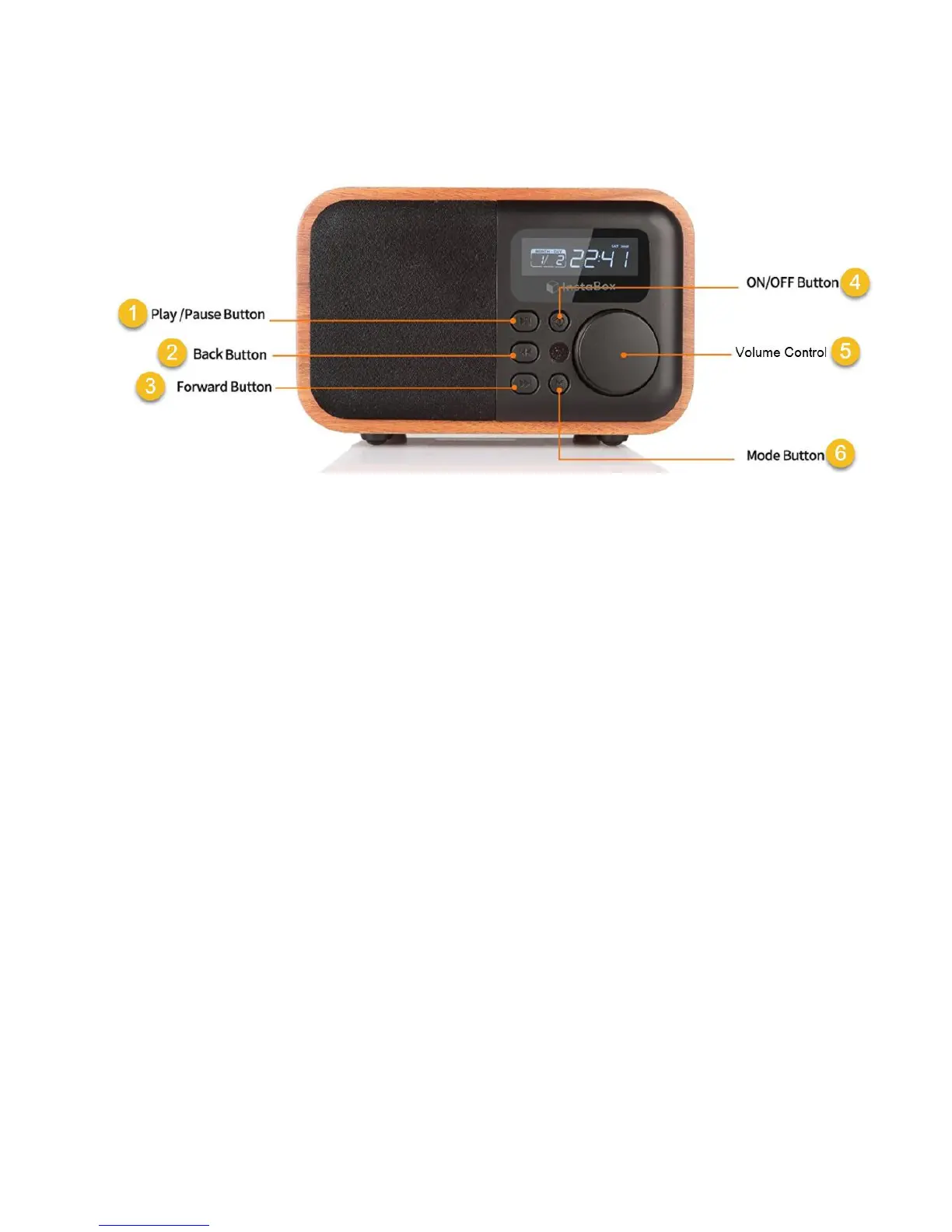
i90 Front View:
1 - Play / Pause Button
Radio Mode:
Short press—mute/play Long press—auto-search
Bluetooth Mode:
Short press — play/pause
Bluetooth Mode (Call received):
Short press—answer/hang up
Time Mode:
Short press-automatic power off setting
When Playing External Audio:
Short press—mute
When Playing U disk / TF Card Music:
Short press—play/pause


 To Next Page