5
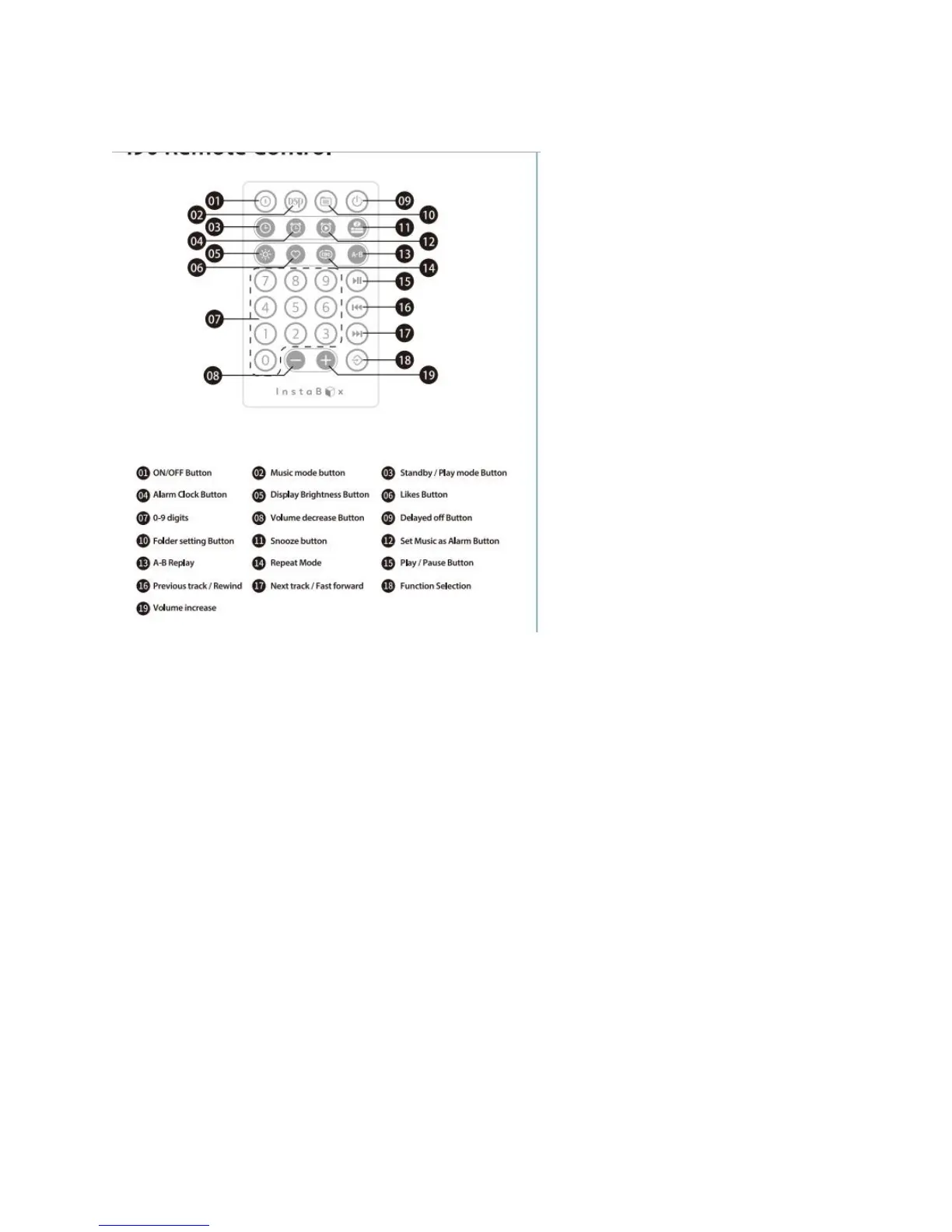
i90 Remote Control
Note:
1. Please make sure the i90 is ON when you would like to use the remote, the ON/OFF button (01) in
the remote is only to set the i90 standby(power saving mode) but not turning on it.
2. Remote is design to provide an easy access to different function such as alarm/time/USB etc.
3. The button which corresponds with the remote:
a. ON/OFF button-button 03 in the remote
b. Play/pause button-button 15 in the remote
c. Previous track- button 16 in the remote
d. Next track- button 17 in the remote
e. M (mode) button-button 18 in the remote
Setting the calendar and clock (Sleeping Mode)
Short press the Mode and make sure the radio in “time” display
Short press the Mode button for 5 times


 To Next Page