4
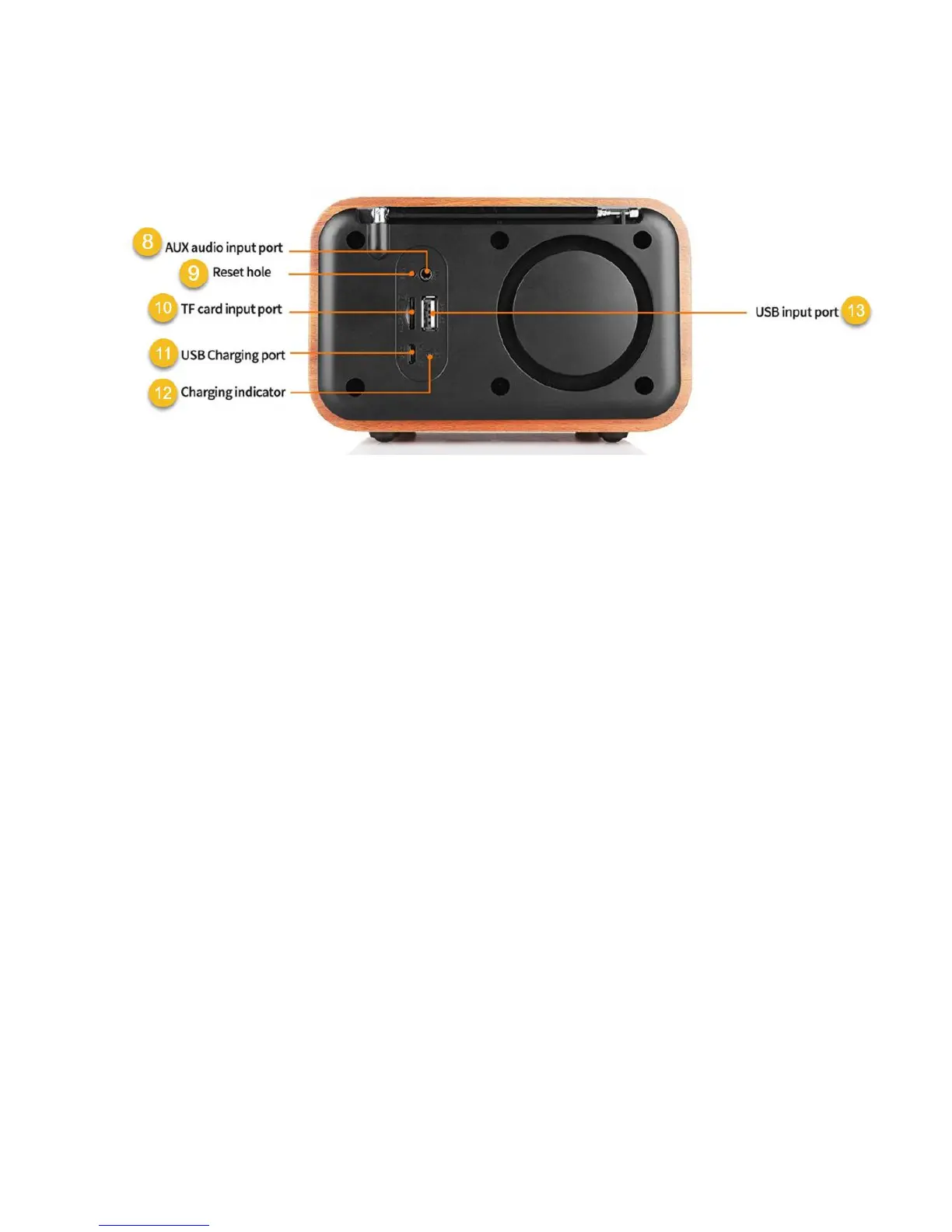
i90 Rear View:
8 – Aux Audio Input Port
Audio cable connection for computer, phone, or other source for audio input.
9 – Reset hole
Insert paper clip or other pointed device and hold button for 3 seconds to reset i90 to factory
defaults settings.
10 – TF or micro SD Card Input Port
TF card input for MP3 audio files
11 – USB Micro B Input/Charging Port
Insert micro USB cable for charging internal battery or for USB audio cable input
12 – Charging Indicator
When charging, the indicator will illuminate red, when fully charged, green. Charging time may be
increased if i90 unit is in use during charging cycle.
13 – USB Type A Input Port
USB port for audio input


 To Next Page