28
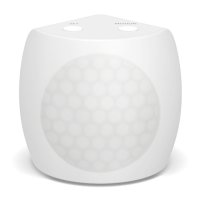
Motion Sensor has been
restored to factory settings.
I
4 J K
U
Slide off the battery cover and
remove Motion Sensor’s battery
V
Simultaneously press and hold the set
button while reinstalling the battery
W
Continue holding the set button
until Motion Sensor stops beeping
q
When the reset is complete,
Motion Sensor will double-beep


 To Next Page