Need help?
Do you have a question about the INSTEON Motion Sensor and is the answer not in the manual?
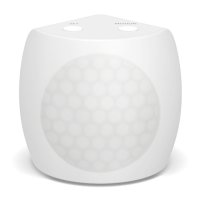
Details the physical components and status indicators of the Motion Sensor.
Instructions for powering the Motion Sensor using battery or Micro USB.
Describes methods for placing the sensor on a tabletop, corner, or using a flexible mount.
Step-by-step process to link the Motion Sensor to control one Insteon device.
Step-by-step process to link the Motion Sensor to control multiple Insteon devices.
Step-by-step process to remove control of one Insteon device from the Motion Sensor.
Step-by-step process to remove control of multiple Insteon devices from the Motion Sensor.
Guide to adding the Motion Sensor to the Insteon Hub using the iOS app.
Adjusting sensor properties like name, icon, room membership, and alerts.
Details on Motion LED, Night Only, Countdown, Sensitivity, and On-Only Mode.
Creating scenes to enable the Motion Sensor to control other devices.
Completing the setup for the Motion Sensor to control other devices.
Guide to adding the Motion Sensor to the Insteon Hub using the Android app.
Adjusting sensor properties like name, icon, room membership, and alerts.
Details on Motion LED, Night Only, Countdown, Sensitivity, and On-Only Mode.
Creating scenes to enable the Motion Sensor to control other devices.
Setting up the Motion Sensor for arming and disarming functionality.
Explanation of local linking features, modes, and navigation.
Visual guide illustrating the steps for local linking and unlinking.
Step-by-step instructions to reset the Motion Sensor to its default settings.
Detailed technical specifications including general, operation, and Insteon features.
Information on dimensions, materials, operating conditions, and power requirements.
Solutions for problems like linking failures, device control issues, and LED status indicators.

 To Next Page
 General