Need help?
Do you have a question about the Instrumentarium Orthoceph OC200 D and is the answer not in the manual?
Essential guidelines for safe operation and radiation protection.
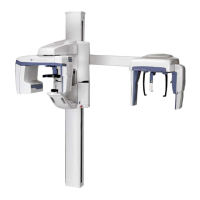
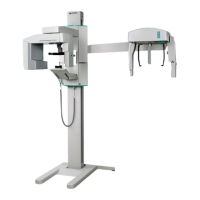
Identification and description of the main components of the OP200 D unit.
Overview of the control panel buttons, indicators, and their functions.
Procedures for cleaning unit panels and surfaces after use.
Methods for disinfecting and sterilizing parts like bite blocks and supports.
Steps for installing and removing panoramic and cephalostat sensors.
Detailed steps to prepare the unit for taking panoramic images.
Step-by-step guide for performing a standard panoramic X-ray exposure.
Procedure for taking panoramic X-rays on pediatric patients with reduced dosage.
Guide for using the Ortho Zone program for specific panoramic imaging needs.
Instructions for performing orthogonal X-ray exposures with optimized angulation.
Procedure for imaging patients with wider dental arches.
Steps for capturing orthogonal views of the canine and posterior teeth.
Procedure for taking TMJ X-rays using a lateral projection.
Steps for performing TMJ X-rays using a posterior-anterior projection.
Procedure for capturing X-ray images of the maxillary sinuses.
Detailed guide for Core Lateral and standard Lateral cephalometric projections.
Instructions for performing PA cephalometric projections.
Procedure for the Reverse Towne projection for cephalometric imaging.
Steps for capturing Waters view X-ray images.
Explanation of how the Automatic Exposure Control functions.
Overview of the range of kV, mA, and exposure time factors.
How to set exposure factors manually with AEC disengaged.
How to perform a self-diagnostic image check for system functionality.
General information about failure messages displayed by the unit.
Interpretation of failure codes indicated by the kV display.
Explanation of PCI board LED status codes for troubleshooting.
Common issues related to patient positioning and their remedies.
Troubleshooting for images that are too light, dark, or lack contrast.
Step-by-step guide on navigating and using the user programming mode.
Tables detailing electromagnetic emissions and immunity compliance.
Recommended schedule for installation and periodic maintenance.
 General
| Imaging Modes | Panoramic, Cephalometric |
|---|---|
| Focal Spot | 0.5 mm |
| Manufacturer | Instrumentarium Dental |
| Model | Orthoceph OC200 D |
| Frequency | 50/60 Hz |
| Power Consumption | 1.5 kVA |
| Focal Spot Size | 0.5 mm |
| Type | Panoramic |
| X-Ray Generator | High-frequency |


 To Next Page