Need help?
Do you have a question about the Instrumentarium Orthopantomograph OP200 D and is the answer not in the manual?
Overview of the ORTHOPANTOMOGRAPH OP200 D and ORTHOCEPH OC200 D units and their capabilities.
Guidelines and precautions for safe operation regarding radiation exposure.
Lists available options, accessories, and required manuals for the OP200 D system.
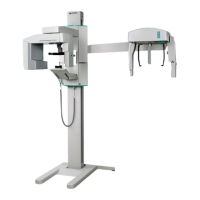
Identification and description of the primary components of the OP200 D unit.
Overview of the control panel buttons, indicator lights, and imaging procedure icons.
Description and images of various accessories used for patient positioning.
Guidelines for cleaning the unit and its components after patient use.
Step-by-step guide for installing and removing the CCD sensor.
Steps to prepare the unit and PC for taking panoramic images.
Procedure for taking standard panoramic images using AEC mode.
Procedure for pediatric panoramic imaging with reduced radiation dosage.
Procedure for Ortho Zone imaging with dual scanning geometries.
Procedure for obtaining an orthogonal view of the canine and posterior teeth.
Procedure for lateral TMJ projection imaging, using manual exposure control.
Procedure for capturing postero-anterior (PA) cephalometric images.
Steps for preparing the unit and patient for cephalometric imaging.
Procedure for Core Lateral and standard Lateral cephalometric projections.
Procedure for capturing postero-anterior (PA) cephalometric images.
Explanation of the Automatic Exposure Control system and its density adjustment.
Instructions for setting exposure factors manually with AEC disengaged.
How to configure kV and mA independently in Manual mode.
Procedure for performing a self-diagnostic image quality check on the OP200 D system.
Information on performing advanced quality assurance tests.
System reminder for preventative service after 2000 exposures.
Explanation of how failure messages are displayed and classified (Ch, Sy, Er).
Interpreting the kV display to understand the nature of a failure.
How to reset 'Ch' and 'Sy' failures and limitations for 'Er' failures.
Troubleshooting common issues related to patient positioning and image quality.
Troubleshooting issues like images being too light, dark, or lacking contrast.
Identifying and resolving common image artefacts like shadows or lines.
Description of various user programs (Pr) for system configuration.
Details on user programs that influence image quality parameters.
Step-by-step guide for navigating and using the user programming mode.
Configuring number of images and total angle for Volumetric Tomography.
Setting default imaging program and exposure control mode upon startup.
Setting general and program-specific contrast and density parameters.
Compensating for spine column shadow in panoramic and VT images.
Reference values for Dose Area Product for common imaging procedures.
Key unit specifications including class, type, protection, operation, and software version.
Specifications for the tube head assembly, including type, voltage, current, and focal spot.
Technique factors and magnification for various panoramic imaging programs.
Tables detailing electromagnetic emissions and immunity compliance for the OP200 D unit.
Recommended maintenance schedule for the OP200 D unit, including intervals.
User's monthly inspection checklist for ensuring proper unit function and safety.
Explanation of the 'Ch 8 PSE' message indicating a need for preventative service.
 General
| Brand | Instrumentarium |
|---|---|
| Model | Orthopantomograph OP200 D |
| Category | Dental equipment |
| Language | English |

 To Next Page