intarblock | intartop
35
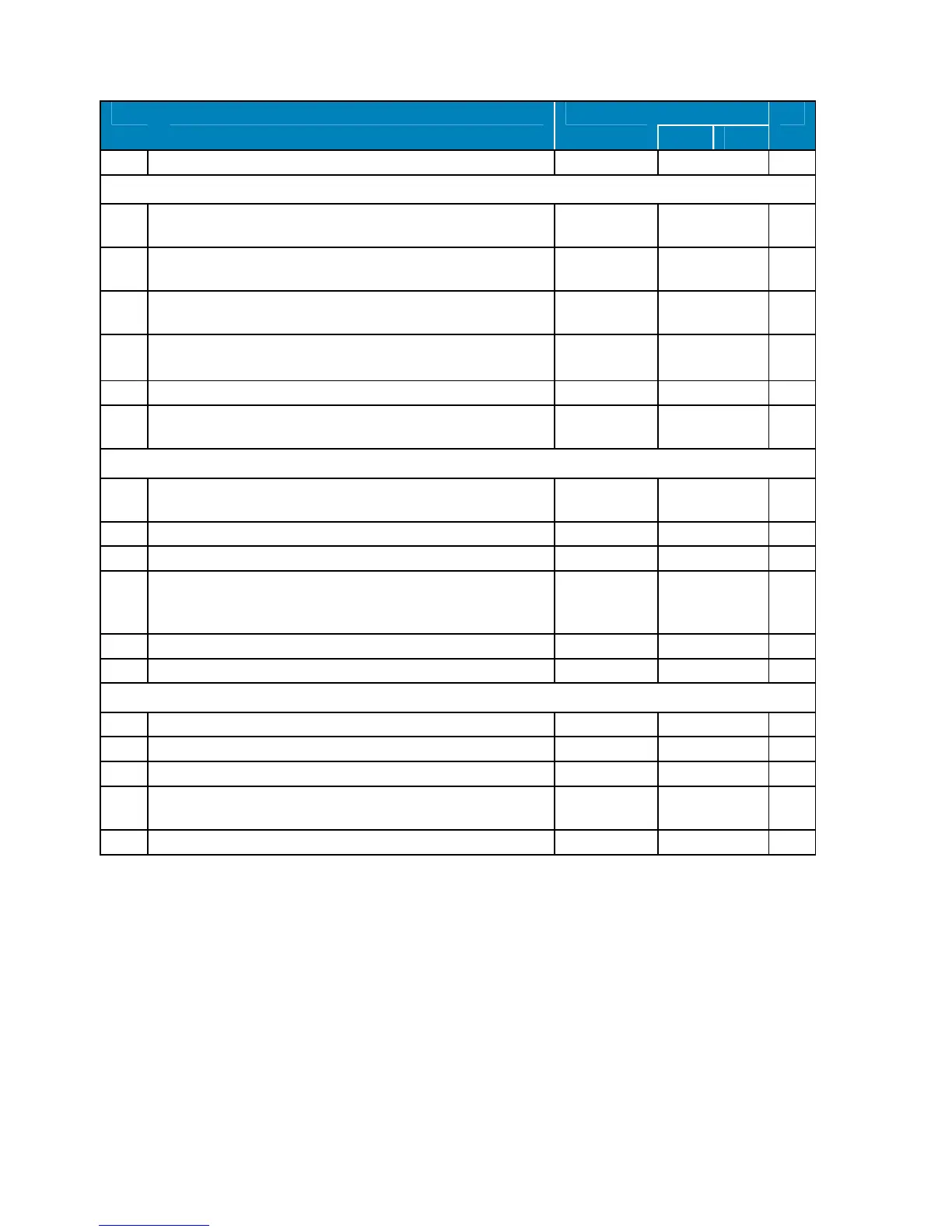
Code Description Range Default List
MT BT
nPS
Pressure switch activation number 0 ÷ 15 10 Pr2
ANALOGUE INPUTS
Ot
Thermostat probe calibration
-12,0 ÷ 12,0
ºC
0 Pr1
OE
Evaporator probe
-12,0 ÷ 12,0
ºC
0 Pr2
O3
Condenser probe calibration
-12,0 ÷ 12,0
ºC
0 Pr2
P2P
Evaporator probe presence:
n=no (defrosting by time) ; y=sí (desescarche por tiempo y Tª)
n - y y Pr2
P3P
Condenser probe presence: n=no ; y=yesí n - y y Pr2
HE
S
Temperature increase during the Energy Saving cycle -30,0 ÷ 30,0
ºC
2 ºC Pr2
DIGITAL INPUTS
odc When door is open, switches off the compressor (CPr), fan (Fan),
both (F_C), or non of them (no)
no, Fan, CPr,
F_C
F_C Pr2
I1P
Door micriswitch polrity. CL=Closed; OP=Opened CL - OP OP Pr2
I2P
Pressure switches polarity: CL=Closed; OP=Opened CL - OP OP Pr2
I2F
Digital input 2 configuration: PAL=Pressure switches.
EAL, bAL,
PAL, dFr,
AUS, Es, onF
PAL Pr2
did
Digital input alarm relay 0 ÷ 255 min 60 Pr2
oP2
External alarm polarity: cL=closed ; oP=Opened. cL - oP cL Pr2
OTHERS
Adr
Serial address. 1 ÷ 247 1 Pr1
rEL
Software release solo lectura 8.4 Pr2
Ptb
Dixell map code. solo lectura 2 Pr2
Prd Probe display values: thermostat “Pb1”, evaporator “Pb2” and
condenser “Pb3”.
Pb1, Pb2, Pb3
solo lectura Pr2
Pr2
Access Pr2 parameter list.
Pr1
Configurable digital input
The unit has two digital inputs. One of them is always configured as a door switch. The other one is
preset as a pressure switch (PAL value assigned to parameter “I2F”). If during the interval time set by
“did” parameter, the pressure switch has reached the number of activation of the “nPS” parameter,
the “PAL” pressure alarm message will be displayed. When the digital input is ON the compressor is
always OFF.
The digital inputs polarity depends on “I1P” and “I2P” parameters: CL indicates the digital input is
activated by closing the contact; OP indicates the digital input is activated by opening the contact.



 To Next Page