EasyManua.ls Logo

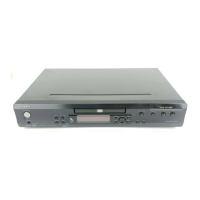
Integra DPS-5.4 - User Manual

Integra DPS-5.4
60 pages
Print Icon
To Next Page IconTo Next Page
Loading...
En
DVD Player
DPS-5.4
Instruction Manual
Thank you for purchasing the Integra DPS-5.4 DVD
Player. Read this manual carefully before using your
new DVD Player. A good understanding of its fea-
tures and operation will allow you to achieve opti-
mum performance and enjoyment.
Keep this manual for future reference.
Contents
Important Safety Instructions ............2
Introduction .........................................7
Connecting the DPS-5.4 ...................17
Getting Started ..................................23
Playing discs .....................................28
Viewing JPEG discs..........................39
Audio Settings menu ........................41
Video Adjust menu............................42
Initial Settings menu.........................43
Additional information......................49
Using the Remote controller with Other
Brand’s TVs............................................53
Troubleshooting ................................56


Table of Contents

Other manuals for Integra DPS-5.4

Questions and Answers

  • W
    William AllenSep 5, 2025
    Why Integra DPS-5.4 DVD Player settings are not saved?
    • D
      Dalton McclainSep 5, 2025
      If your Integra DPS-5.4 DVD player isn't saving settings, it's likely because a power failure occurred, or the power cord was disconnected. To prevent this, before disconnecting the power cord, set the DPS-5.4 to Standby by pressing the [Standby/On] button, and wait until “GOOD BYE” has disappeared from the display.
  • M
    Mindy MillsNov 20, 2025
    Why Integra DVD Player DPS-5.4 no sound?
    • J
      Johnathan OlsonNov 20, 2025
      If you're not getting any sound from your Integra DPS-5.4 DVD player, here are a few things to check: * Ensure the 96 kHz PCM Out setting is not set to “96 kHz.” If it is, change it to “96 kHz > 48 kHz,” or use analog connections. * Verify that the Digital Out setting is set to “On.” * Make sure the correct input source is selected on your TV, hi-fi amp, or AV receiver. * Check the audio cable to ensure it is properly connected. * Confirm that the TV, hi-fi amp, or AV receiver connected to the DPS-5.4’s audio outputs is turned on and the volume is appropriately set. * Check the Digital Audio Out settings on the DPS-5.4 and correct them if necessary. * Ensure playback is not paused; resume if it is. * If you are using the analog outputs and the DVD-Video disc or CD uses the...
  • K
    Kelly PageSep 16, 2025
    Why Integra DVD Player can't view JPEG files?
    • T
      Troy ParrishSep 16, 2025
      If your Integra DVD player can't view JPEG files, it may be because: * JPEG files without a “.jpg” or “.JPG” filename extension are not recognized. Make sure to use the correct filename extension. * Only Baseline JPEG files are supported. Progressive JPEG files are not. Ensure you are using Baseline JPEG files.
  • L
    Lacey RichardsSep 15, 2025
    Why Integra DPS-5.4 can't play WMA files?
    • R
      ronnieknappSep 15, 2025
      If your Integra DVD player is unable to play WMA files, it could be due to: * WMA files without a “.wma” or “.WMA” filename extension are not recognized. Use the correct filename extension. * The WMA file’s copyright option is turned on. Avoid using the copyright option.
  • J
    Jennifer CastilloSep 13, 2025
    Why Integra DPS-5.4 can't select MP3 files?
    • J
      Jennifer RamirezSep 13, 2025
      If you're unable to select MP3 files on your Integra DVD player, it's likely because the MP3 files do not have a ".mp3" or ".MP3" filename extension. Ensure that you are using the correct filename extension.
  • D
    David WebsterSep 12, 2025
    Why Integra DPS-5.4 DVD Player can't play MP3/WMA/ JPEG discs?
    • G
      gavinferrellSep 12, 2025
      If your Integra DVD player can't play MP3, WMA, or JPEG discs, it might be because: * The disc is not in ISO9660 Level 1 or 2 format. Ensure the correct format is used when recording (ISO 9660) and that the session is closed. * The disc has not been finalized. Make sure to finalize the disc.
  • G
    George ShawSep 10, 2025
    Why Integra DPS-5.4 DVD Player some MP3 files don't play?
    • J
      John PhillipsSep 10, 2025
      If some MP3 files aren't playing on your Integra DVD player, it could be because: * MP3 files without a “.mp3” or “.MP3” filename extension are not recognized. Use the correct filename extension. * The MP3 disc contains over 499 folders and 999 files. The DPS-5.4 recognizes only the first 499 folders and 999 files. Folders in excess of this aren’t recognized and cannot be played. * The MP3 disc is a multisession disc. The DPS-5.4 doesn’t fully support multisession discs. Only files in the first session can be played.
  • J
    Jennifer JohnsonSep 8, 2025
    Why Integra DVD Player chapters don't play in order?
    • M
      Michelle MartinSep 8, 2025
      If chapters or tracks on your Integra DVD player aren't playing in the correct order, you may be using repeat playback, program playback, or random playback. Select normal playback to resolve this.
  • K
    Kathleen ReyesSep 7, 2025
    Why Integra DPS-5.4 DVD Player brightness is unstable?
    • A
      amanda39Sep 7, 2025
      If you're experiencing unstable brightness or a noisy picture with your Integra DPS-5.4 DVD player, it could be due to: * The DPS-5.4 being connected to your TV via a VCR or other video equipment, with a copy-protection system affecting the picture. Try connecting the DPS-5.4 directly to your TV. * Your TV not supporting progressive scanning. In this case, reset the DPS-5.4 to its initial settings.
  • C
    Crystal GibbsAug 22, 2025
    What to do if Integra DVD Player DPS-5.4 won't turn on?
    • R
      Rick ManningAug 22, 2025
      If your Integra DPS-5.4 DVD player won't turn on, consider these potential causes: * Ensure the power cord is securely connected to a working wall outlet. * Check that the [Power] switch is set to On. * If external interference is affecting the DPS-5.4’s digital circuitry, turn off the unit, wait five seconds, and then try turning it on again. If that doesn’t work, disconnect the power cord from the wall outlet, wait five seconds, reconnect it, and then try turning the unit on again.

Summary

Important Safety Instructions

Precautions

Introduction

Supplied Accessories

Lists items included with the DVD player.

DPS-5.4 Features

Highlights the capabilities and specifications of the DPS-5.4.

Disc Notes

Important information regarding disc compatibility and handling.

MP3;WMA Compatibility

Details on playing MP3 and WMA audio files.

JPEG Compatibility

Details on viewing JPEG image files.

Before Using the DPS-5.4

Installing the Batteries

Step-by-step guide to insert batteries into the remote.

Using the Remote Controller

Instructions on how to operate the remote control.

Front & Rear Panels

Front Panel

Identifies and describes the controls on the front of the unit.

Display

Explains the indicators and messages shown on the player's display.

Rear Panel

Identifies and describes the connectors on the back of the unit.

Remote Controller

Identifies and describes the buttons on the remote control.

Connecting the DPS-5.4

Before Making Any Connections

General advice before connecting AV components.

RCA;phono AV Connection Color Coding

Explains color coding for audio and video connections.

Basic Setup

Guides through a basic connection to a TV for playback.

Connecting Your TV

Details how to connect the player to a television.

Connecting to an AV Receiver

Explains how to connect the player to an AV receiver for enhanced audio.

Controlling AV Components that are Out of Range

Methods for controlling components when the player is out of remote range.

Connecting the Power;Turning on the DPS-5.4

Getting Started

Using the on-screen displays

Guide to navigating the player's graphical user interface.

Setting up with the Setup Navigator

Process for configuring initial player settings.

Playing discs

Basic playback controls

Explains the primary buttons for disc playback.

Resume and Last Memory

Feature to resume playback from where it was stopped.

DVD-Video disc menus

How to navigate DVD-specific menus.

Video CD PBC menus

How to navigate Video CD playback control menus.

Introduction

General introduction to the chapter on playing discs.

Using the Disc Navigator to browse the contents of a disc

How to find and select content on a disc.

Scanning discs

How to fast forward or rewind playback.

Playing in slow motion

How to play discs in slow motion.

Frame advance;frame reverse

How to advance or reverse playback frame by frame.

Looping a section of a disc

How to set A-B repeat points for looping playback.

Using repeat play

Options for repeating playback of tracks, chapters, or discs.

Using random play

How to play tracks or chapters in a random order.

Creating a program list

How to set a custom playback order for disc content.

Editing a program list

How to add, delete, or change steps in a program list.

Searching a disc

How to find specific content by title, chapter, track, or time.

Switching subtitles

How to select available subtitle languages during playback.

Switching DVD audio language

How to select available audio languages during playback.

Zooming the screen

How to magnify parts of the picture during playback.

Switching camera angles

How to switch between different camera angles on DVD discs.

Displaying disc information

How to view playback details like track, chapter, and time.

Viewing JPEG discs

Using the JPEG Disc Navigator and Photo Browser

Tools for finding and viewing JPEG files on discs.

Using the Photo Browser

Displays thumbnail images for easy selection of pictures.

Zooming the screen

Allows magnification of JPEG images during viewing.

Audio Settings menu

Audio DRC

Dynamic Range Control for adjusting volume levels.

Video Adjust menu

Video Adjust

Options to customize picture quality settings.

Initial Settings menu

Using the Initial Settings menu

Comprehensive guide to initial player setup and configuration.

Digital Audio Out settings

Configuration for digital audio output to AV receivers.

Dolby Digital Out

Setting for Dolby Digital audio signal output.

DTS Out

Setting for DTS audio signal output.

96 kHz PCM Out

Setting for 96kHz PCM audio output.

MPEG Out

Setting for MPEG audio signal output.

Video Output settings

Options for configuring video output signals.

TV Screen

Adjusts player output based on TV aspect ratio.

Component Out

Setting for progressive scan video output via component connections.

S-Video Out

Setting for S-Video output.

Language settings

Configuration for preferred audio and subtitle languages.

Audio Language

Selects preferred audio language for DVD playback.

Subtitle Language

Selects preferred subtitle language for DVD playback.

DVD Menu Language

Sets the language for DVD disc menus.

Subtitle Display

Controls whether subtitles are displayed.

Display settings

Configuration for onscreen display elements.

OSD Language

Sets the language for onscreen display messages.

On Screen Display

Controls the display of operation messages.

Angle Indicator

Controls the display of the camera angle icon.

Options

Access to Parental Lock and password settings.

Parental Lock

Controls content access based on age ratings.

Registering a new password

Process for setting up a password for Parental Lock.

Changing your password

Procedure to modify an existing password.

Setting;changing the Parental Lock level

How to adjust the Parental Lock rating level.

Setting;changing the Country code

How to set or change the disc region code.

PhotoViewer

Setting to enable viewing of JPEG files alongside audio files.

Additional information

Screen sizes and disc formats

Explains aspect ratios of DVDs and TVs.

Resetting the player

Procedure to restore player settings to factory defaults.

Setting the TV system

How to set the player's TV system compatibility.

Titles, chapters and tracks

Describes how content is organized on discs.

DVD-Video regions

Explains DVD disc region coding and compatibility.

Selecting languages using the language code list

How to use codes to select specific languages.

Country code list

A list of country codes used for settings.

Language code list

A comprehensive list of language codes.

Using the Remote controller with Other Brands TVs

Learning a pre-programming code

Steps to program the remote for other brand TVs.

Controlling a TV

Basic operation of a TV using the remote.

Pre-programming Code List

A table of codes for programming the remote to various TV brands.

Glossary

Troubleshooting

Specifications

Integra DPS-5.4 Specifications

General IconGeneral
TypeDVD Player
Video OutputComposite, S-Video, Component
Progressive ScanYes
Surround SoundDolby Digital, DTS
Remote ControlYes
Output Resolution480p, 720p, 1080i
Video FormatsDVD Video
Audio FormatsDolby Digital, DTS, MP3
Audio OutputDigital audio (optical)
Video D/A Converter10-bit
Audio D/A Converter192kHz / 24-bit
Channels2.0

Related product manuals