Need help?
Do you have a question about the Integra DTA-70.1 and is the answer not in the manual?
Essential instructions for safe operation, handling, and environment.
Critical warnings about damage, liquid, and servicing requirements.
Guidelines for safe installation and ensuring proper ventilation.
Explanation of warning symbols for electrical shock and servicing.
Information on recording copyright, fuse, and unit cleaning.
Key safety precautions for power, hearing, heat, and handling.
Details on FCC compliance for US and Canadian models.
Guidelines for proper ventilation and selecting a suitable installation location.
Safety rules for power cords, speaker impedance, and lightning.
Instructions for cleaning, prohibited uses, and general care.
A quick guide to connect and operate the amplifier for immediate use.
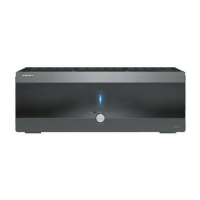
Overview of the amplifier's front panel controls and indicators.
Diagram and description of rear panel connections, including XLR inputs.
Guide to selecting input types and using RCA audio inputs.
Details on speaker output terminals and impedance settings.
Configuration for auto power down, trigger input, and AC power connection.
Instructions for connecting speakers, including polarity and impedance.
Guidance on using speaker labels and essential connection precautions.
Step-by-step guide for preparing and connecting speaker cables.
How to connect the amplifier to an AV controller using XLR outputs.
How to connect the amplifier to an AV controller using RCA outputs.
Instructions for bi-amping front speakers for improved audio performance.
Guide to setting up multiroom audio systems using the amplifier.
Details for the second multiroom connection configuration.
Solutions for power-related problems and lack of audio output.
Diagnosing issues with the standby indicator and 12V trigger function.
Methods to resolve humming and other audio noise problems.
Detailed technical specifications for the amplifier section.
General, power, and connectivity specifications of the unit.
 General
| Damping Factor | 60 (Front, 1 kHz, 8 Ohms) |
|---|---|
| THX Certified | Yes |
| THD (Total Harmonic Distortion) | 0.05% (Rated Power) |
| Input Sensitivity and Impedance | 200 mV/47 kOhms (Line) |
| Frequency Response | 5 Hz - 100 kHz (+1 dB, -3 dB) (Direct Mode) |
| Speaker Impedance | 4 Ohms - 16 Ohms |
| Video Input Sensitivity/Output Level and Impedance | 1Vp-p/75 ohms |
| Component Video Frequency Response | 5Hz-100MHz/-3dB |
| HDMI Support | Yes (v1.4a with 3D and Audio Return Channel) |
| Input Impedance | 47 kOhms |
| Input Sensitivity | 200 mV |

 To Next Page