5
4
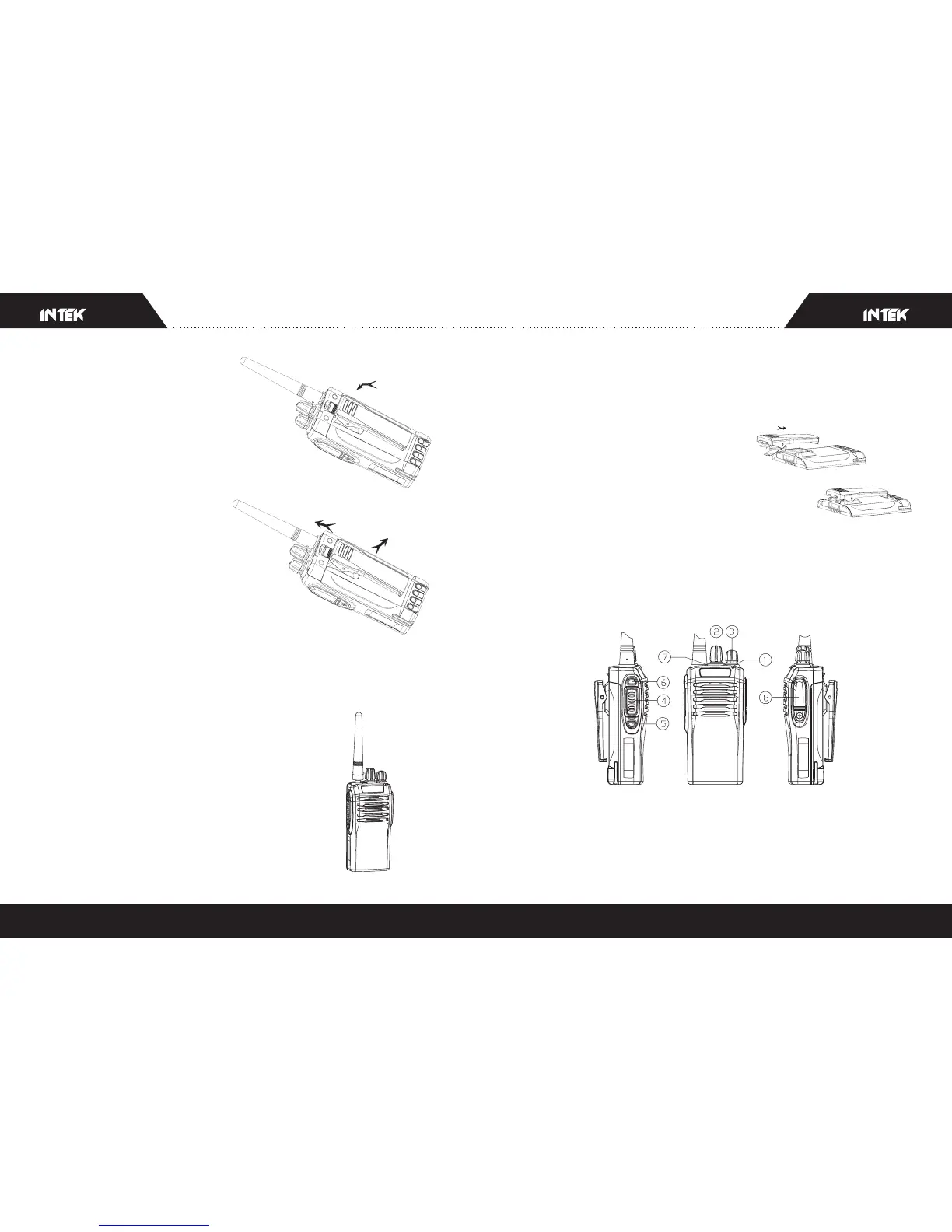
Press the upper end of the battery
down till the push button on the radio
completely bounce out and locked.
Remove the battery
To remove the battery, slightly
press the battery and pull the push
button upwards, and then remove
the battery from the radio.
Note:
Please avoid short circuit of terminals of the battery or throw
the battery in fire.
Do not remove the shell of the battery by yourself.
2.3 Install the Antenna
Holding the base of the antenna, screw the
antenna clockwise into the connector on top
of the radio till it's fastened.
2.4 Install external speaker/MIC
Open the soft rubber cover of external speaker or MIC with your finger-
-nail, insert the pin of matching external speaker or MIC into the pinhole
of the radio.
2.5 Install the belt clip
Align the guide rail of the support of the
belt clip to the guide slot on the back of the
battery and push downwards properly; to
remove the belt clip, insert your fingernail or a tool into the slot on the
upper part of the belt clip and push the card upward, at the same time,
push the belt clop upward by force to remove it.
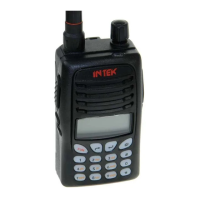
3. Radio Overview
.LED INDICATOR
Red LED on when transmitting, green LED on when receiving signals.
Red LED flashes when low battery.
.Channel selector knob



 To Next Page