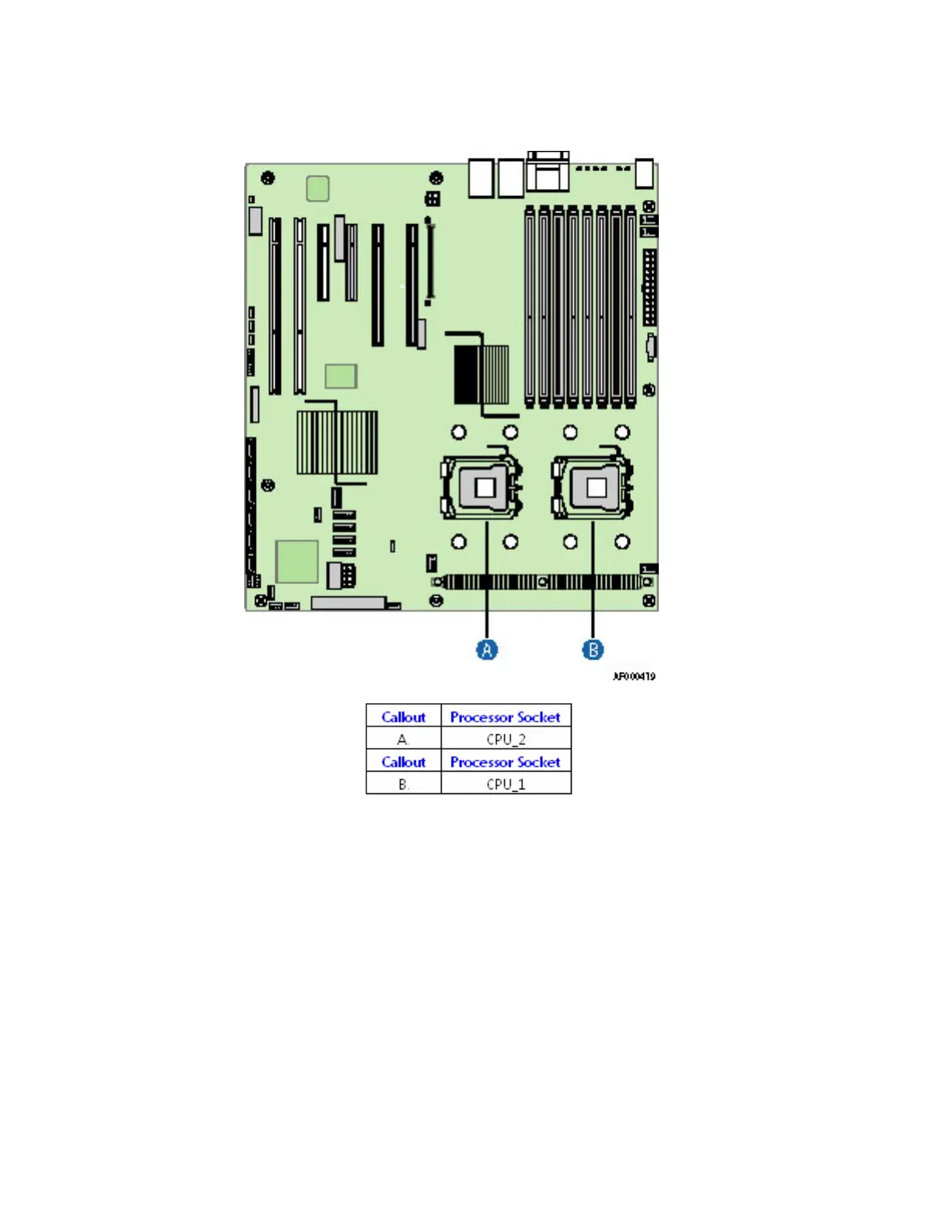
Figure 1. Example: Locating Processor Sockets.
Note: Consult Your Board Documentation for Proper Socket Location
6. Disconnect and remove any components necessary to access the processor sockets. See the
documentation that came with your chassis for instructions on removing chassis components.
7. Push down on the lever attached to the processor socket. While holding the lever down, pull it
towards the center of the board to disengage the lever from the hook. Fully open the lever. See
Figure 2.








 To Next Page