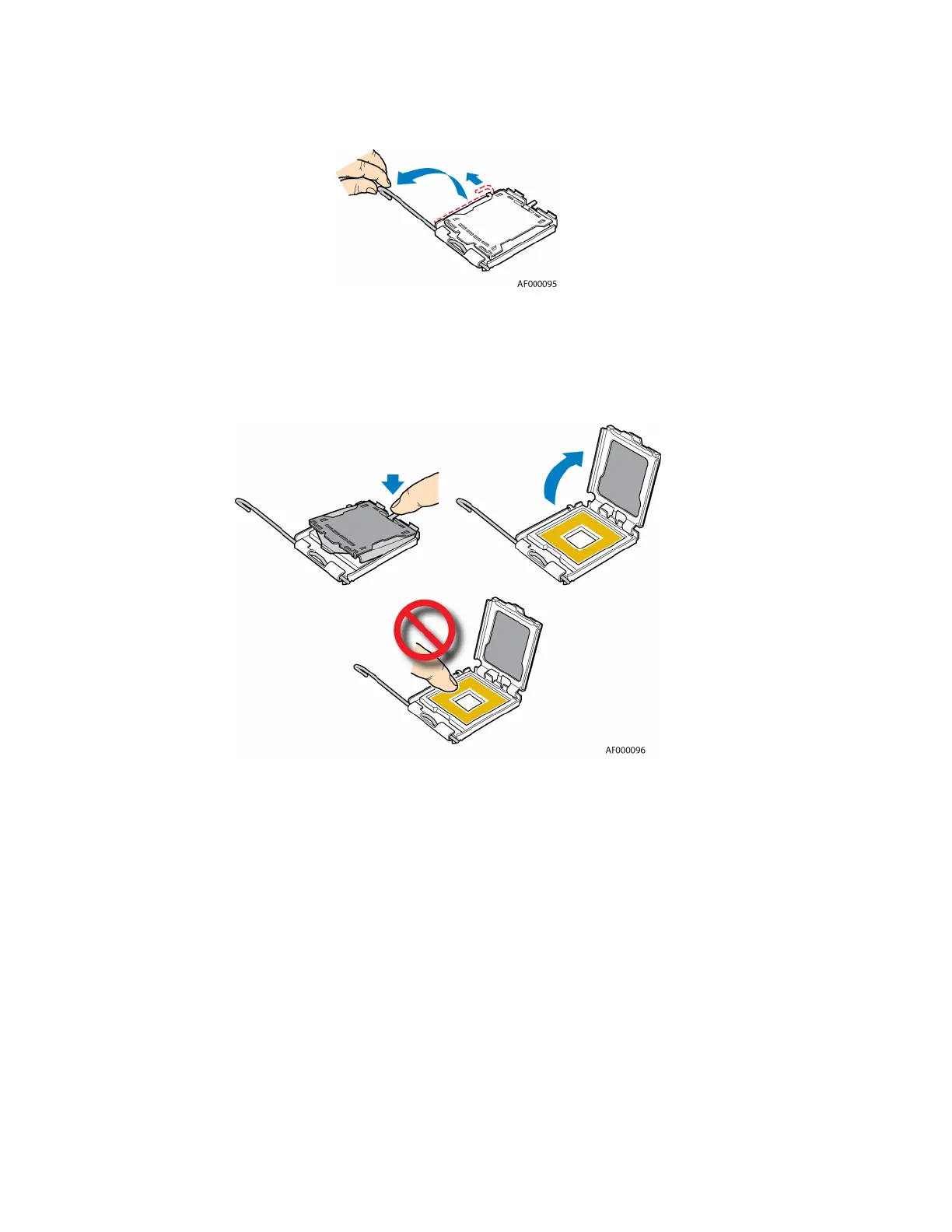
Figure 2. Opening Processor Socket Lever
8. Push down on the rear tab of the load plate to swing the front of the load plate up slightly. Fully
open the load plate. See Figure 3.
Figure 3. Opening Load Plate
9. If the protective cover is attached from the load plate, remove it and store it for future use. See
Figure 4.








 To Next Page