Intel Desktop Board DX58SO Product Guide
24
Onboard Power Button
CAUTION
Electrostatic discharge (ESD) can damage components. Perform the procedure
described in this section only at an ESD workstation using an antistatic wrist strap and
a conductive foam pad. If such a station is not available, you can provide some ESD
protection by wearing an antistatic wrist strap and attaching it to a metal part of the
computer chassis.
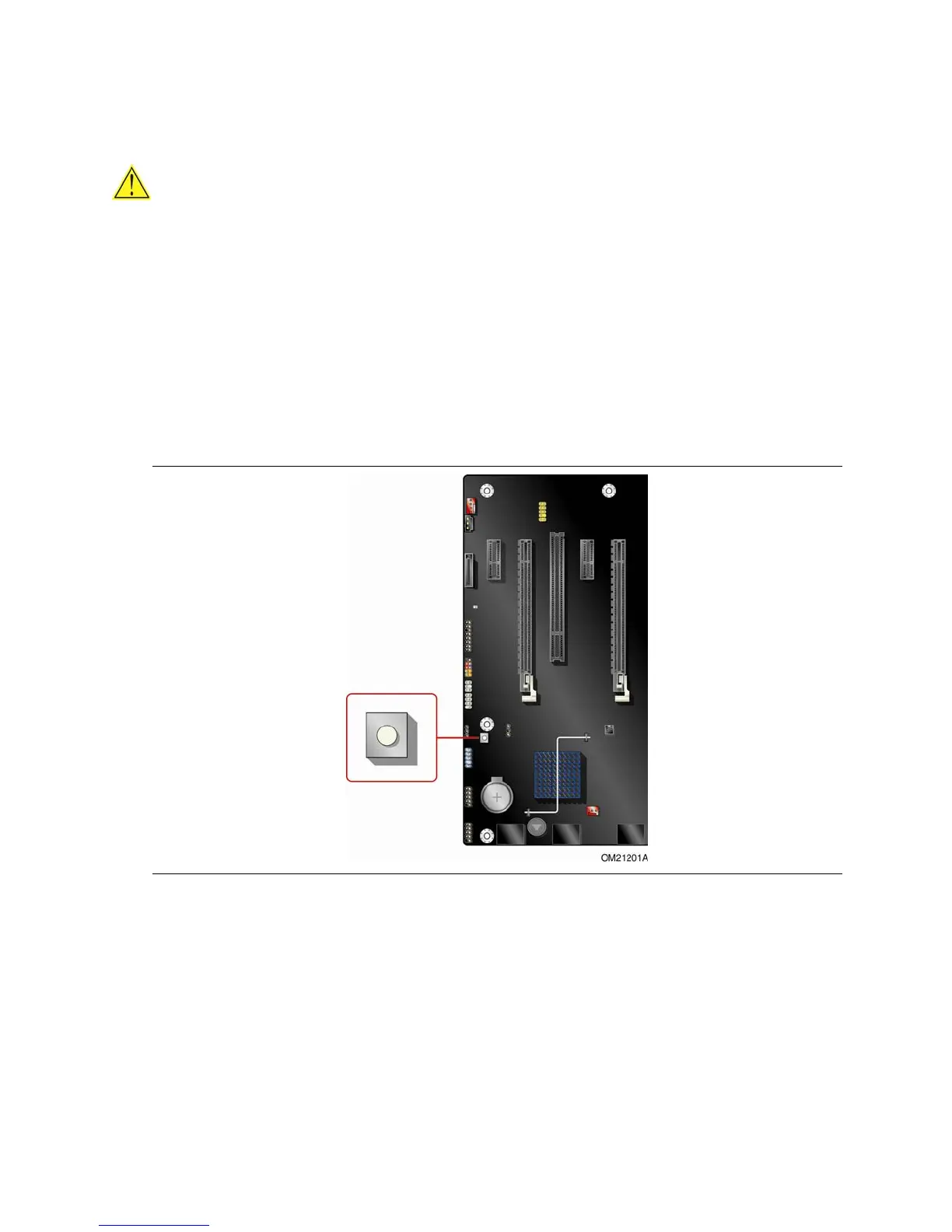
A power button on the Desktop Board (see Figure 5) can be used to turn the computer
on or of
f. This button is intended for use at integration facilities to remove standby
power before making changes to the system configuration, or for testing purposes.
The power button on the front panel is recommended for all other instances of turning
the computer on or off. To turn off the computer using the onboard power button,
keep the button pressed down for three seconds.
Figure 5. Onboard Power Button



 To Next Page