Intel Desktop Board DX58SO Product Guide
36
Removing the Processor
For instructions on how to remove the processor fan heat sink and processor, refer to
the processor installation manual.
Installing the ICH Heat Sink Decorative Cover
(Optional)
To install the ICH heat sink decorative cover, follow these instructions:
1. Observe the precautions in "Before You Begin" on page 27.
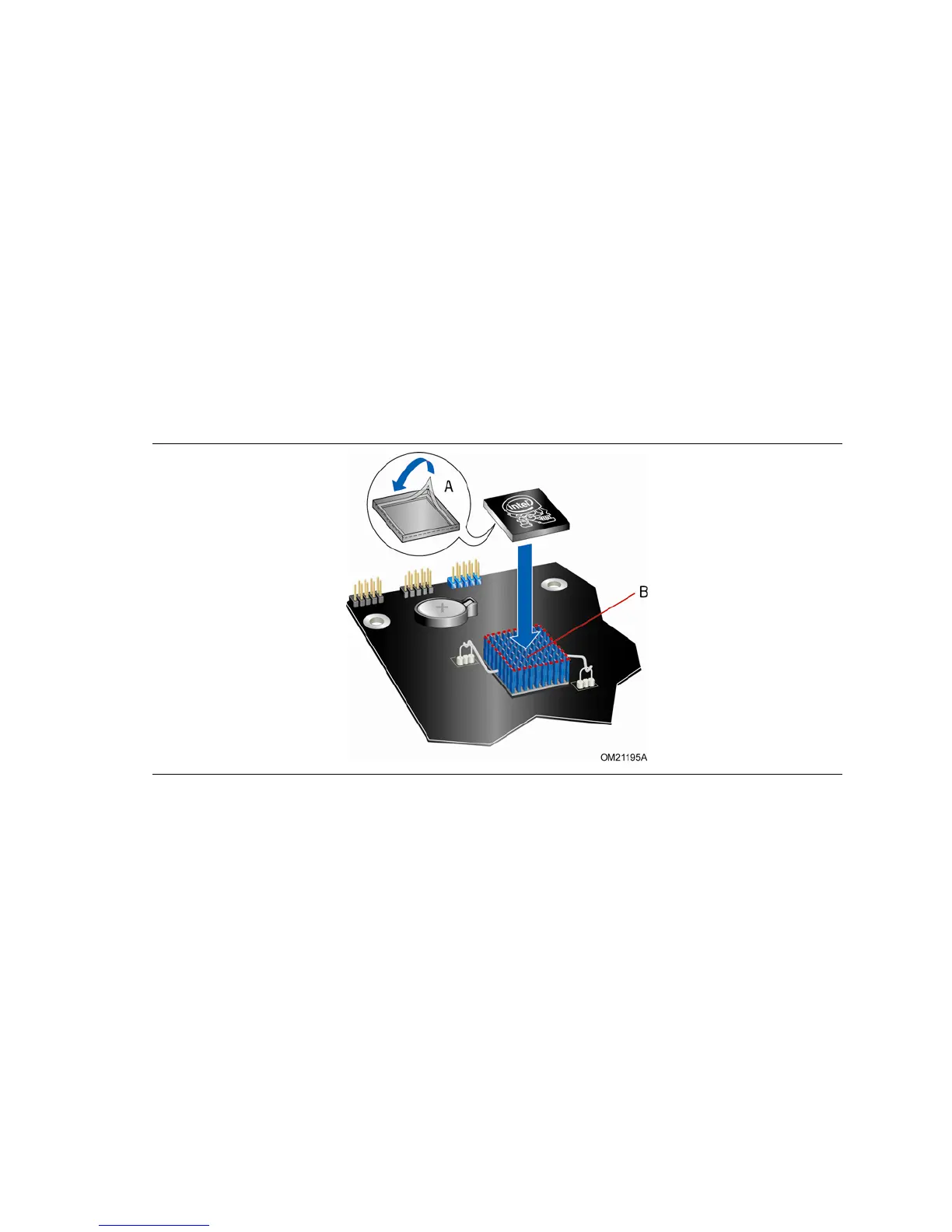
2. Remove the
paper covering the adhesive strip on the bottom of the heat sink cover
(Figure 16, A).
3. Place the heat sink co
ver on the ICH heat sink (Figure 16, B). Press down firmly to
ensure that
the adhesive adheres to the heat sink.
Figure 16. Installing the ICH Heat Sink Decorative Cover



 To Next Page