16
The computer hangs when the drivers are loaded.
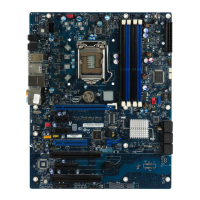
• Change the PCI BIOS interrupt settings. See the next page for PCI
installation tips.
• If you are using EMM386, it must be version 4.49 or newer (this version
ships with MS-DOS 6.22 or newer).
Diagnostics pass, but the connection fails or errors occur.
• Make sure the network cable is securely attached.
• For NetWare clients, make sure you specify the correct frame type in your
NET.CFG file.
• Make sure the duplex mode setting on the adapter matches the setting on
the hub.
• At 100 Mbps, connect to a 100Base-T4 hub only (not TX).
The LNK LED doesn’t light.
• Make sure you’ve loaded the network drivers.
• Check all connections at the adapter and the hub.
• Try another port on the hub.
• Make sure the duplex mode setting on the adapter matches the setting on
the hub.
• Make sure you have the correct type of cable between the adapter and the
hub. 100Base-T4 requires four pairs. See the Cabling README file for
more information on cabling.
The ACT LED doesn’t light.
• Make sure you’ve loaded the correct network drivers.
• The network may be idle. Try accessing a server.
• The adapter isn’t transmitting or receiving data. Try another adapter.
• May not be using four-pair cable for T4 wiring.
The adapter stopped working when another adapter was added to the
computer.
• Make sure the cable is connected to the adapter.
• Make sure your PCI BIOS is current. See page 17 for PCI installation tips.
• Make sure the other adapter supports shared interrupts. Also, make sure
your operating system supports shared interrupts — OS/2* doesn’t.
• Try reseating the newest adapter.
The adapter stopped working without apparent cause.
• Try reseating the adapter first, then try a different slot if necessary.
• The network driver files may be corrupt or deleted. Delete and then
reinstall the drivers.
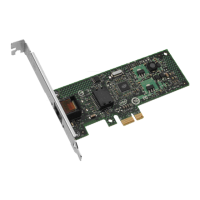
• Try a different PRO/100 T4 PCI adapter.
• Run the diagnostics.



 To Next Page
 Loading...