Intel
®
Server Board S5000VSA User’s Guide xvii
List of Figures
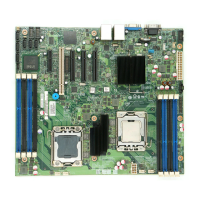
Figure 1. Intel
®
Server Board S5000VSA.................................................................................. 1
Figure 2. Server Board Connector and Component Locations ................................................. 6
Figure 3. Configuration Jumper Descriptions ............................................................................ 7
Figure 4. Back Panel Connectors.............................................................................................. 8
Figure 5. Password Clear Jumper........................................................................................... 15
Figure 6. CMOS Clear Jumper................................................................................................ 16
Figure 7. Installing Memory (S5000VSASATA/S5000VSASATAR shown)............................. 18
Figure 8. Lifting the Socket Handle ......................................................................................... 20
Figure 9. Open the Load Plate ................................................................................................ 20
Figure 10. Removing the Shipping Cover ............................................................................... 21
Figure 11. Installing the Processor.......................................................................................... 21
Figure 12. Removing the Protective Socket Cover ................................................................. 21
Figure 13. Installing the Heat Sink .......................................................................................... 22
Figure 14. Replacing the Backup Battery (S5000VSASATA/S5000VSASATAR shown) ....... 25












 To Next Page