25
4. Installation of the alarm center and its
peripherals
Attention: only connect the AMT 8000 alarm center to the mains and battery
after the installation of all equipment and peripherals.
Open the product box and then open the cover of the AMT 8000 alarm center
cabinet by removing the screws, where two plates can be seen, that is, its basic
conguration contains the AMT 8000 alarm center board and its respective power
supply and rechargeable battery that comes with the system.
The telephone line and GPRS modules can be purchased, being these two boards
with their respective interconnection cables to the AMT 8000 alarm center.
If you choose the full conguration, 4 boards must be installed in the alarm center
cabinet (the alarm center board, the source board, the telephone line module and
the GPRS module).
AMT 8000 alarm center has only wireless zones, as well as other accessories
(keyboard, sirens, etc.) are connected to the alarm center via wireless signal, with
only the AC power cables, telephone line and Ethernet network cable connected
to the alarm center.
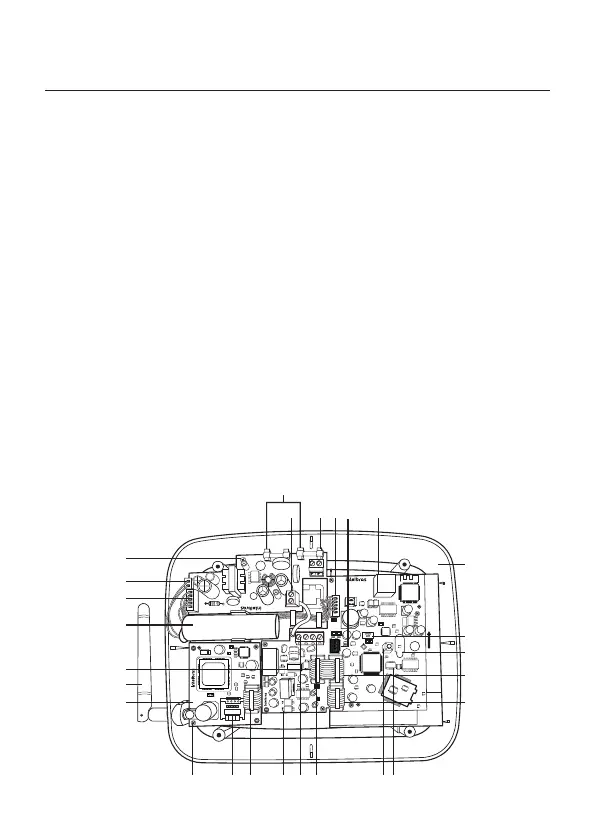
Image below illustrates the alarm center with all the devices that can be physically
connected:
AMT8000
SENTIDO DE SOLDA
12524
23
22
2
3
4
5
6
7891011
12
1314
15
16
18
19
20
21
17
26
AMT 8000 Alarm Center



 To Next Page