31
5.2. Display of troubles
The occurrence of troubles is described as follows:
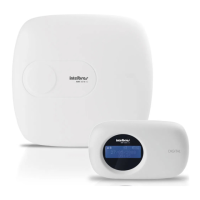
On the XAT 8000 keyboard the icon will ash.
If any trouble is detected, press the up or down arrow keys on the XAT 8000
keyboard to view them. To end the display, press the
Exit
key.
Note:
if the
Indication of troubles by the siren in the activation/deactivation
function and
Beeping of the siren in the activation/deactivation
are enabled and
if any trouble is detected, 1 long beep will beep on activation and 2 long beeps
on deactivation.
5.3. Description of the LEDs signaling on the alarm center boards
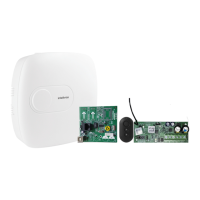
LEDs of alarm center baseplate
LED Status/event Signaling
1
LED1/LED2 Disconnected from the Ethernet network LED off
LED1/LED2 Connected to Ethernet network
1
Flashing LED
LED3 Center off LED off
LED3 Center on Flashing LED
LED3 Center on and registering devices LED lit
1
This status does not mean that the system is connected to the monitoring servers. To view the
connection status, observe through the
Menu
function (see section
Connections).
LEDs of XAG 8000 GPRS board
LED Status/event Signaling
1
LED1, LED2 Powered (connected to CPU board) LED1 and LED2 constantly on
LED1, LED2
Chip (SIM1 or SIM2) seeking
connection
Only the corresponding LED is lit
LED1 Chip 1 (SIM1) connected to servers
LED ashing 1 time (connected to server 1),
LED ashing 2 times (connected to server 2)
LED2 Chip 2 (SIM2) connected to servers
LED ashing 1 time (connected to server 1),
LED ashing 2 times (connected to server 2)
1
This status does not mean that the system is connected to the monitoring servers. To view the
connection status, observe through the
Menu
function (see section
Connections).


 To Next Page