88
Clock
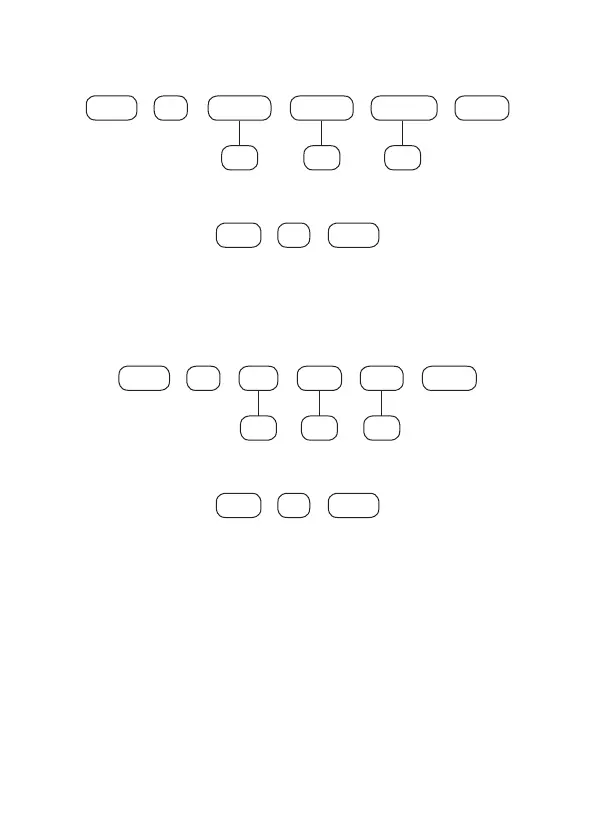
To set the clock, type:
+
400 Hours
+
Enter
+
Enter
hh
+
Minutes
mm
+
Seconds
ss
To edit/view the programmed value, type:
400
+
Enter Enter
+
After changing the congured value, press the
Enter
key. If you only want to view
the setting, press the
Exit
key and no programming will be changed.
Calendar
To set the calendar, type:
+
401 Day
+
Enter
+
Enter
DD
+
Month
MM
+
Year
AA
To edit/view the programmed value, type:
401
+
Enter Enter
+
After changing the congured value, press the
Enter
key. If you only want to view
the setting, press the
Exit
key and no programming will be changed.
Note:
If the clock and calendar are not programmed correctly, the alarm center
will operate normally, but the date and time of events stored in the internal buffer
will not correspond to the actual date and time, and also the holiday setting and
self-activation may not operate correctly.
Weekday adjustment
Adjusts the current weekday to align the current day of the month with weekday.
To program this function, type:



 To Next Page