95
839
+
Enter
+
Partition
01 to 16
Enter
+
Use the keyboard to set the days for partition autodeactivation occurs, so that the
numbers you want to have the days enabled remain checked and the days with the
disabled function remain unchecked, then conrm with the
Enter
key.
Note: in the above command for non-partitioned alarm center, use Partition = 01.
Autodeactivation time
Select the time on which Partition Autodeactivation will occur.
To program this function, type:
463
+
Enter
+
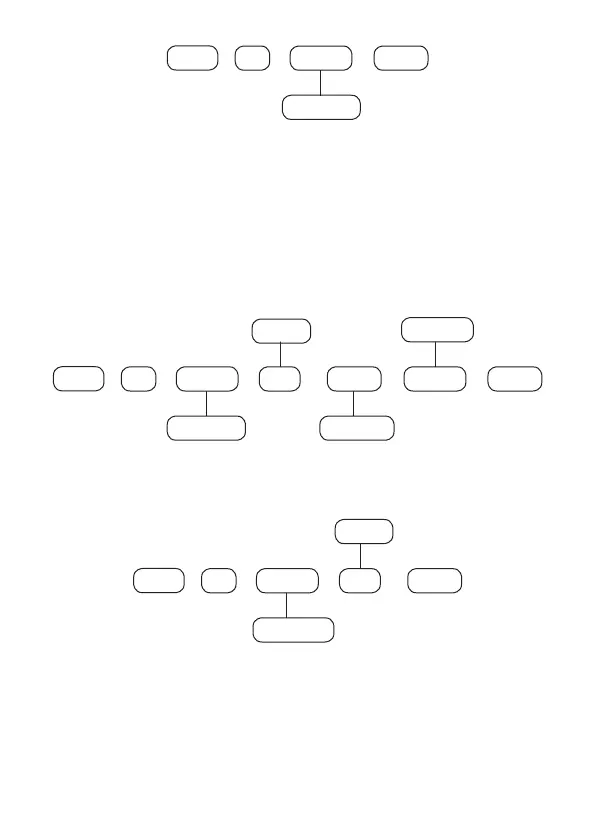
Partition Day Hours Minutes Enter
+ + + +
01 to 16 00 to 23
1 to 8
00 to 59
Note: in the above command for non-partitioned alarm center, use Partition = 01.
To edit/view the programmed value, type:
463
+
Enter
+
Partition Day
+
01 to 16
1 to 8
Enter
+
After changing the congured value, press the
Enter
key. If you only want to view
the setting, press the
Back/Exit
key that no programming will be changed.
Holidays
Alarm center has 10 memories (0 to 9) to schedule dates that require a special time
for Autoactivation and Autodeactivation.



 To Next Page