5
HANDSET MODE CONNECTION
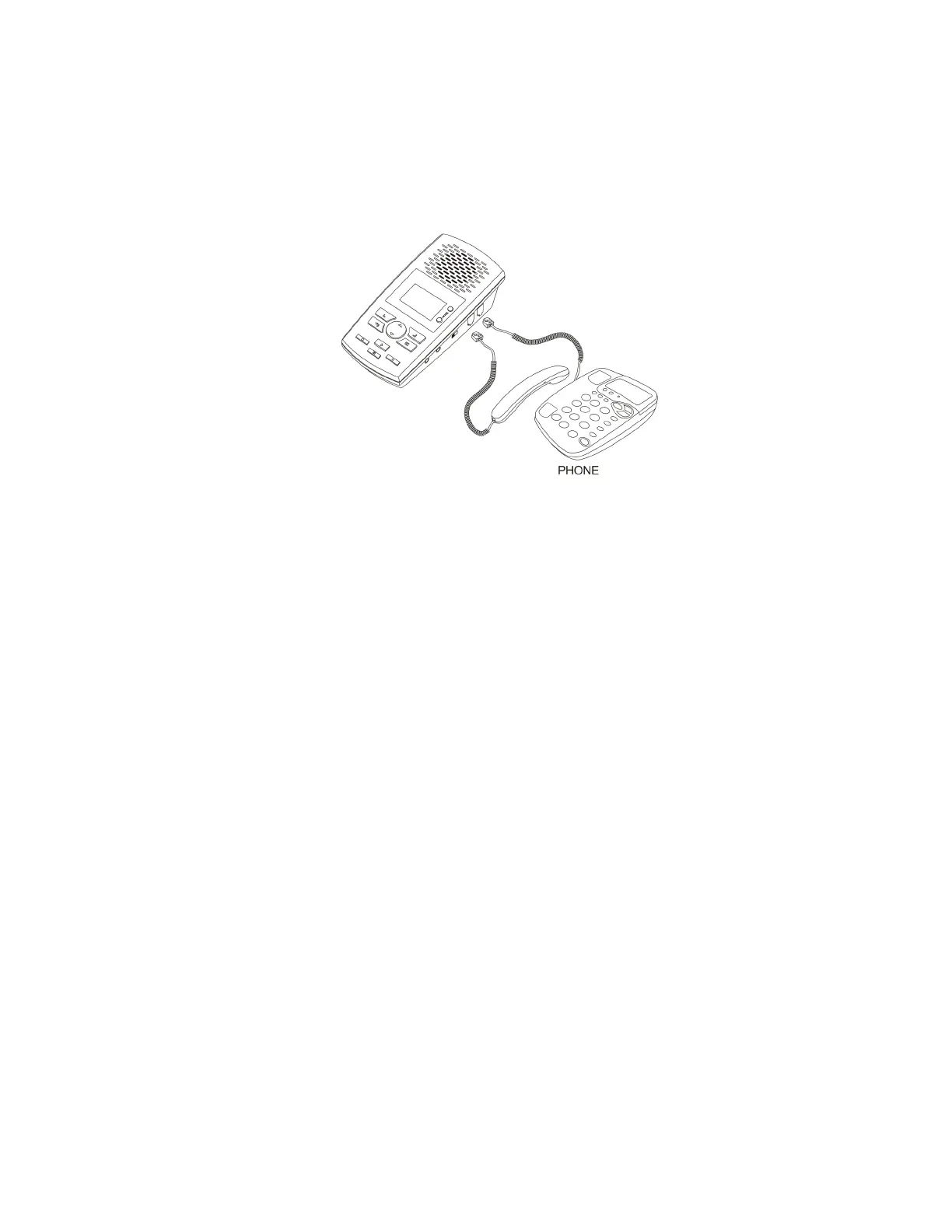
Handset mode connection is used when you cannot connect to the analog telephone line directly. Examples of when you need to use
handset mode are on Digital PBX telephones, IP telephones and Multi-Line telephones.
To connect in handset mode, simply remove the curly cord from your telephone base and connect into the Call Assistant SD and
connect the short handset lead supplied between the telephone handset socket and the Call Assistant SD as shown above.
IMPORTANT - SETTINGS FOR HANDSET MODE
You will need to select the correct TRIGGER MODE to ensure handset mode operation is set. To select the correct mode:
- Press Soft Key 2 <Settings>
- Press Soft Key 1 to select <Recording>
- Press Down Arrow Key to select <Auto/Manual Rec> and then press <OK>
- Use Down Arrow Key to select <Trig> and the press <OK>
- Press the <Back> key until you return to the main recording screen
ADJUSTMENTS FOR OPTIMUM HANDSET MODE OPERATION
You may need to adjust the following parameters found under the Recording menu for optimum operation:
VOX TRIG LEVEL –
This is the threshold to detect audio when the handset is lifted to start recording. If set too low, recording may start
when background noise is present when the handset is not being used. If set too high, recording may not start reliably when the
handset is lifted. Settings are 1 to 10 1 being the most sensitive and 10 the least sensitive. Default setting is 3.
VOX SILENCE –
This is the time that the Call Assistant SD hears silence on the call to determine that the call has ended and stops
recording. If too short, your recordings may be broken into several smaller recordings, if too long, it may merge one recording into
another to produce one long recording from 2 calls. Default is 5 seconds.
Note – When using Handset Mode, the recorder uses sound levels on the handset to determine if a call is active. If you finish one call
and quickly make another in a shorter time than the VOX SILENCE setting, it is possible both calls will merge into one recording.
Handset Mode is not 100% reliable in determining start and stop of calls but it is the only way of connecting to some telephones.


 To Next Page
 Loading...