Recon Blockage Plus™ Operator’s Guide
600890-000075, rev 1.0 Page 7 of 26
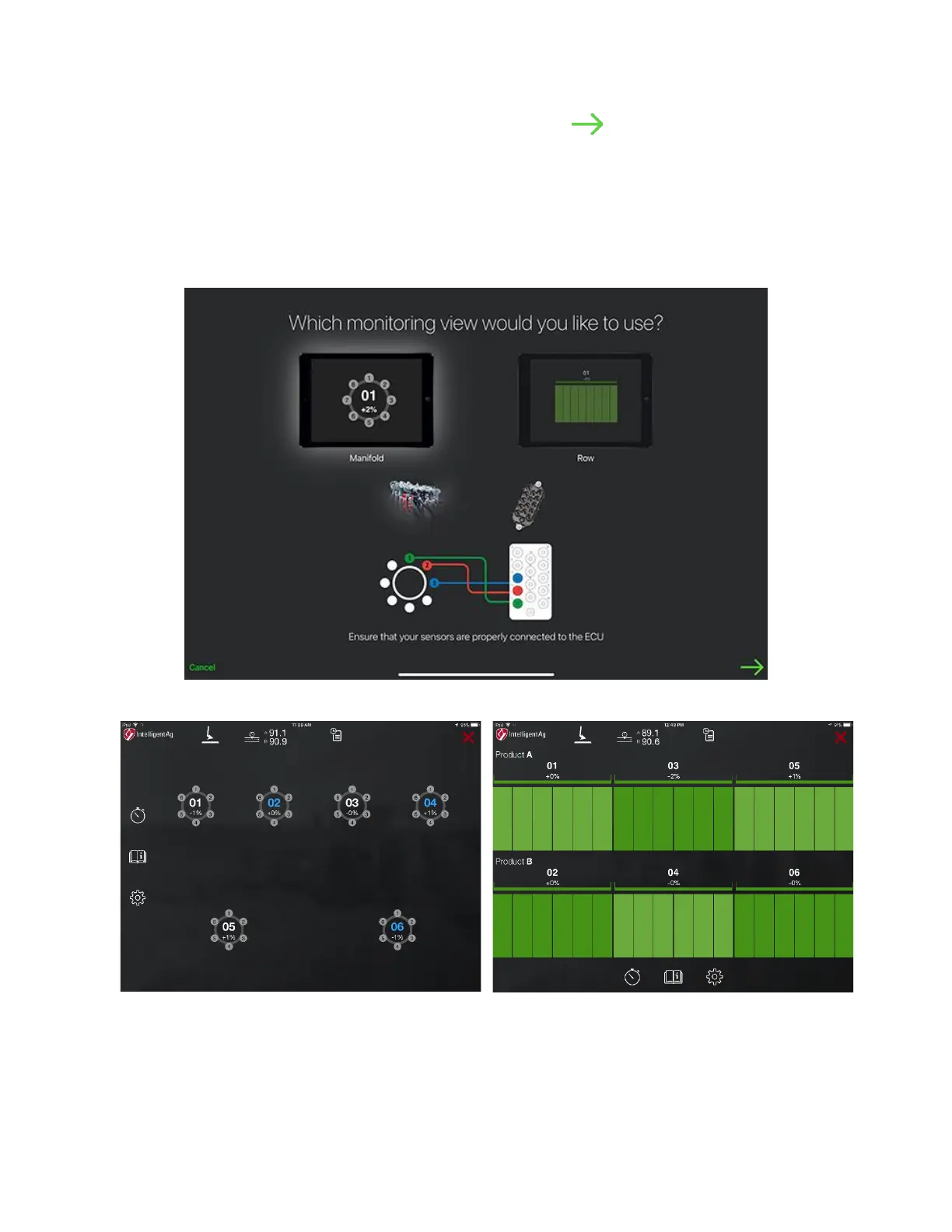
3. Select your monitoring view type. Tap the next arrow .
• Manifold view displays the implement ports and manifolds in a circle. Manifolds
using Product A have white lettering and manifolds using Product B have blue
lettering.
• Row view displays the implement ports and sections in columns. Manifolds using
Product A are displayed on the top half of the screen and manifolds using Product B
are displayed on the bottom half of the screen.
Figure 2: Configuration – View Options



 To Next Page