Recon Blockage Plus™ Operator’s Guide
600890-000075, rev 1.0 Page 8 of 26
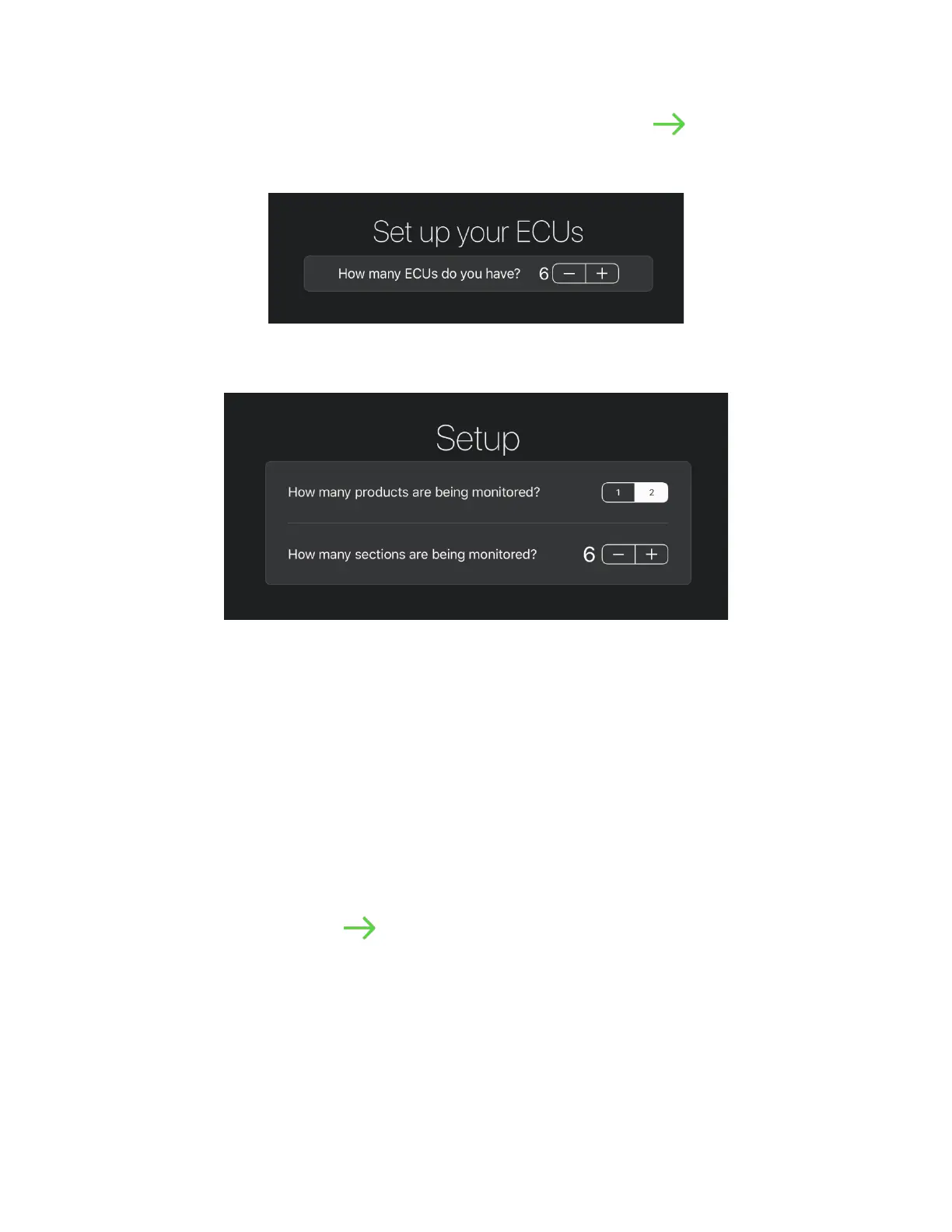
4. Select the number of ECUs on your system. Tap the next arrow .
NOTE: If the ECU search does not find your ECUs, try following the troubleshooting
steps in the on-screen help.
Figure 4: Configuration – ECU Setup
5. Configure your product and section setup.
Figure 5: Configuration – Product and Section Setup
a. Select the number of products you are monitoring.
• Select 1 if you are only monitoring 1 product, or if you have two products flowing
through the same air stream (single shoot).
• Select 2 if you are dual shooting – two products (e.g. seed and fertilizer pellets)
simultaneously flowing through the implement via different air streams.
b. Select how many sections (manifolds) you’re monitoring. By default, this is the same
as the number of ECUs installed.
EXAMPLE: Select 20 sections for a 10-section dual-product drill.
NOTE: The minimum number of sections is half of the number of ECUs, and the
maximum number of sections is double the number of ECUs.
c. Tap the next arrow .



 To Next Page